
Claude Code's Next Frontier: Not Code, But Your Local Obsidian Knowledge Base
It's 3 AM, and you're staring at 500+ notes in your Obsidian vault.
"Which folder should this meeting note go in?" "I remember writing about that technical concept, but can't find it after searching for ages." "How should I structure these backlinks?"
You tell yourself: I'll definitely organize my notes tomorrow. But you know that "tomorrow" may never come.
Because knowledge management is exhausting as hell.
We All Love Obsidian, and We've All Been Tortured by It
Obsidian is powerful, no doubt. Native Markdown, local storage, bidirectional links, graph view, plugin ecosystem — almost every feature addresses knowledge management pain points.
But at the same time, it's one of the most "unfriendly" note-taking tools:
- Steep learning curve: Newcomers see a blank interface and have no idea where to start
- Organization is exhausting: Every note requires thinking about where to put it, how to categorize it, what to link
- Backlinks are beautiful, manual linking is painful: In theory, you should link related concepts, but in practice — who has the time?
- Harder to manage as vault grows: 500 notes is manageable, but what about 5,000? Structure chaos, redundancy, can't find anything
A harsh truth: Most people's Obsidian vaults are gradually becoming digital junk piles.
It's not that we don't want to organize, but:
- Organizing notes is intensive mental labor
- Time cost is too high, ROI doesn't justify it
- Keep procrastinating, eventually give up entirely
Until 2026, everything started to change.
AI Isn't Here to "Assist" — It's Here to "Take Over"
When Claude Code meets Obsidian, something magical happens:
All those knowledge management tasks that give you headaches — AI can do them all.
Not "help you do it together," but "you say one sentence, AI does everything."
What does this mean?
- "Organize this meeting note properly, add links where needed, categorize it" — Done in 3 seconds
- "Analyze my recent study notes, see what knowledge points need补充" — Get a detailed report
- "Help me process all 50 notes in my Inbox" — Batch organize, auto-archive
- "Check vault health, find all orphaned notes and broken links" — One-click diagnosis
Even more magical: This isn't science fiction, it's happening now.
At the start of 2026, the Obsidian + Claude Code combo exploded in knowledge management circles. Reddit, Twitter, Hacker News are full of "my vault finally came alive" reactions.
Someone said: "Built an AI-powered knowledge management system from scratch in 15 minutes."
Someone said: "Those organizing tasks that used to give me headaches now feel frictionless."
Someone said: "Obsidian + Claude Code isn't just useful — it's transformative."
This isn't marketing speak, it's actually happening.
The Ecosystem is Here: Three Key Pieces
What makes all this possible isn't a single tool, but a rapidly maturing ecosystem.
1. obsidian-skills: Making Claude "Understand" Obsidian
Official Skills package personally maintained by Obsidian CEO Stephane Ango (kepano).
What does it do?
Makes Claude Code natively understand Obsidian's various features:
- Obsidian-flavored Markdown (wikilinks, callouts, frontmatter)
- JSON Canvas files (mind maps, flowcharts)
- Obsidian Bases (database views, filters, formulas)
You just need to put this Skills package in your vault's .claude/ folder, and Claude automatically gains these abilities.
For example:
Without obsidian-skills, if you ask Claude to create a note with backlinks, it might write:
This concept relates to [some concept](some-concept.md).
With obsidian-skills, it writes:
This concept relates to [[some concept]].
Seems like a small difference? But for Obsidian users, this is the difference between "speaking the language" or not.
More importantly:
obsidian-skills doesn't just make Claude output the right format — it makes Claude understand how Obsidian works: when to use backlinks, when to use tags, what metadata frontmatter should contain.
This is the difference between "understanding" and "not understanding."
2. Claudian: Embedding AI in Your Note Workflow
An Obsidian plugin developed by YishenTu that embeds Claude Code directly in the sidebar.
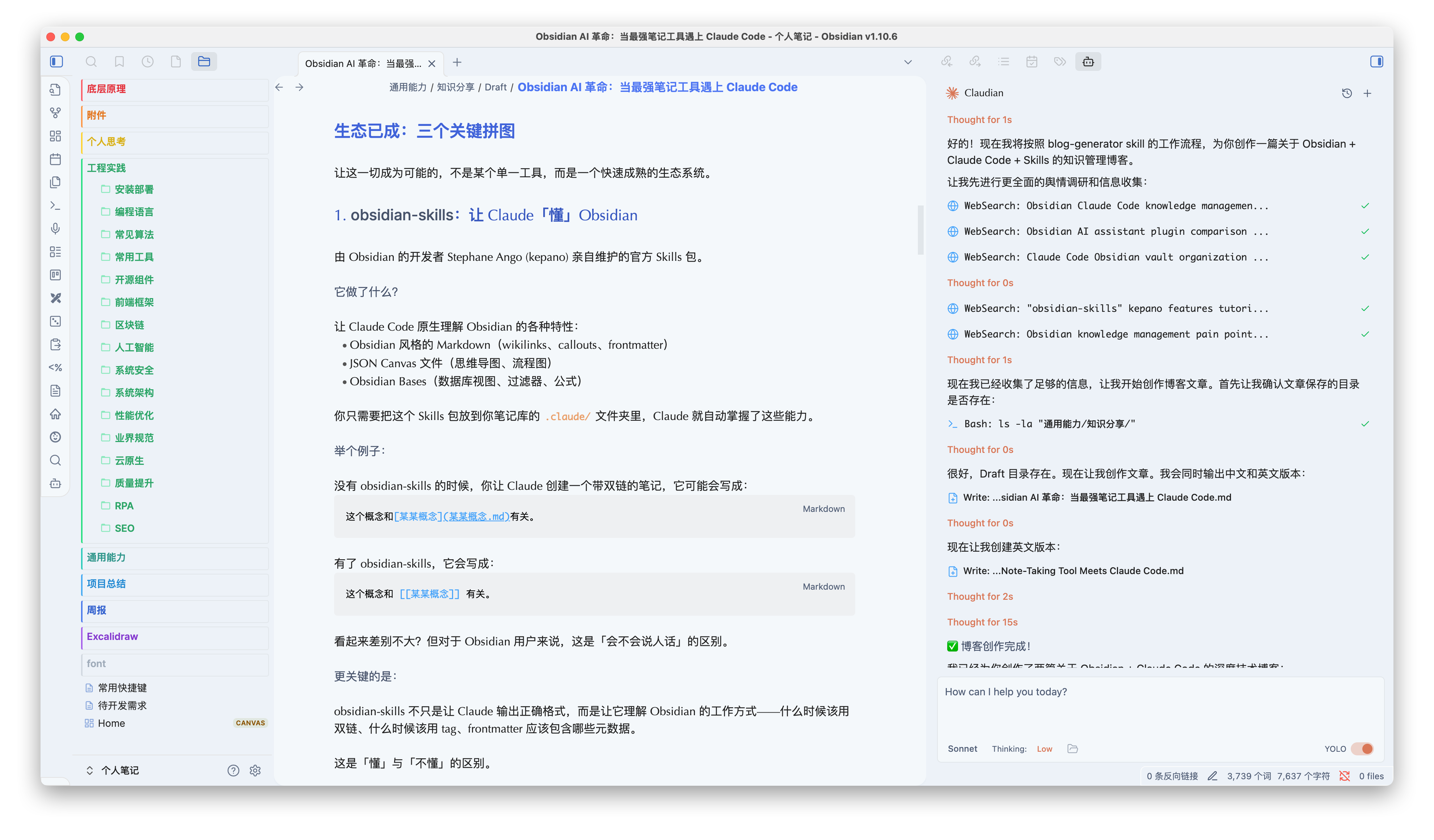
Core capabilities:
- Full Agent abilities: Not just chat, can read/write files and execute commands
- Context awareness: Auto-attaches current note, supports
@filenamereferences, can exclude notes with specific tags - Vision capabilities: Drag and drop images for analysis (recognize handwritten notes, extract Excalidraw content)
- Inline editing: Edit selected text directly in notes, preview changes in real-time
- Slash commands: Custom reusable prompt templates with parameters and bash substitution
Real-world scenarios:
You're writing a technical note and suddenly can't remember a concept's definition. Don't switch apps, just ask Claude in the sidebar:
"I remember writing a note about XXX, help me find it"
Claude searches your vault and lists relevant content.
You select some text that feels unclear:
"Make this more concise"
Claude edits it in place and shows you what changed.
You took a whiteboard photo and want to organize it:
"Organize the content in this image into Markdown"
Claude recognizes text and structure in the image, generates formatted notes directly.
What's this experience like?
Like hiring a knowledge management assistant who's always online and knows your vault inside out.
3. Claudesidian: Ready-to-Use Template
A pre-configured Obsidian template created by Obsidian CEO heyitsnoah, optimized specifically for Claude Code.
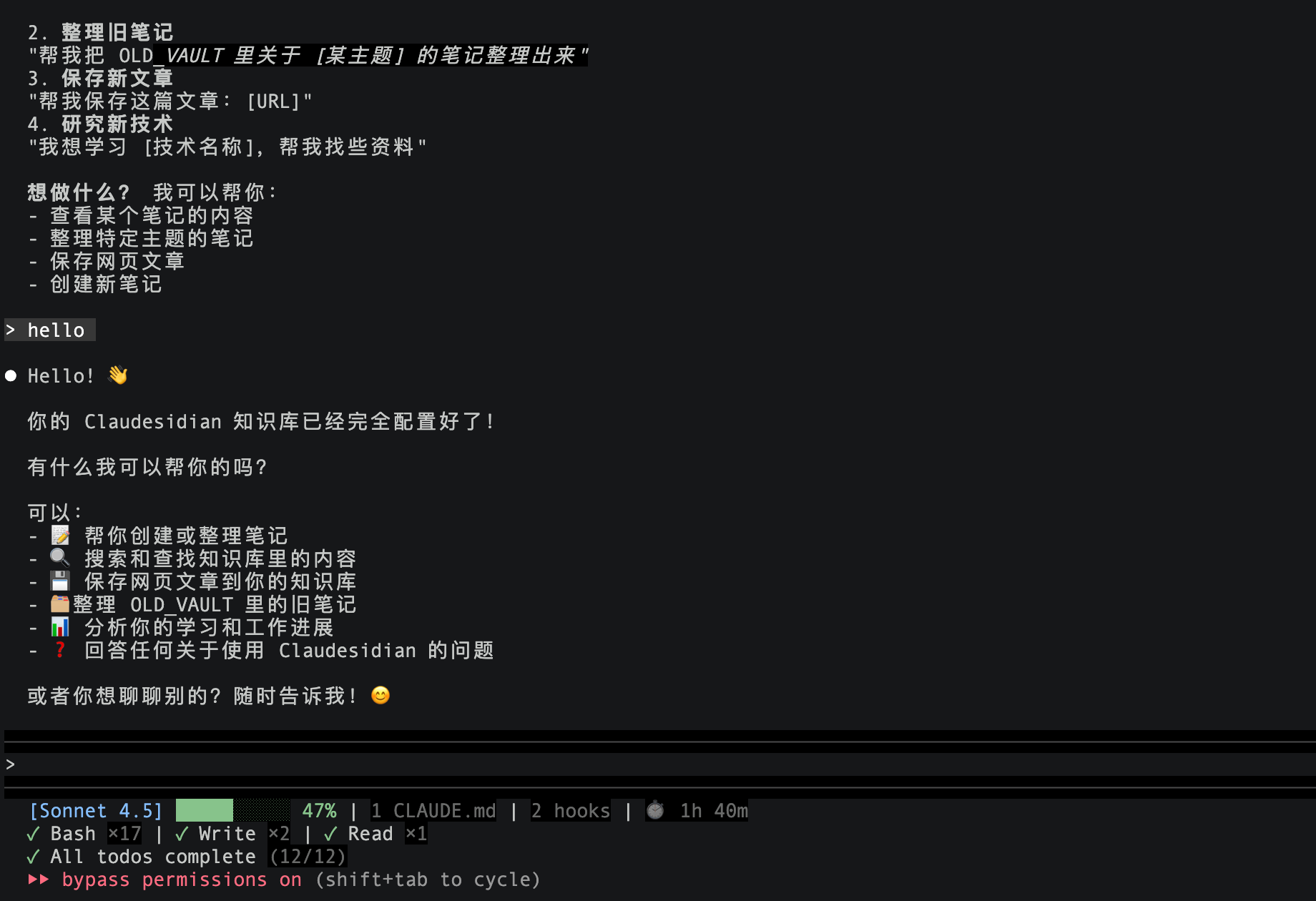
Its value:
No need to configure from scratch, just clone and use. Already includes:
- Reasonable folder structure
- Pre-configured CLAUDE.md (system prompts)
- Common Slash commands
- Example workflows
Who's it for?
Anyone wanting to quickly experience Obsidian + Claude Code. Up and running in 15 minutes.
Not Just Knowledge Management — Your Private AI Assistant
After discussing the tools, we must talk about this combo's killer application scenario — it's not just helping you organize notes, it becomes your personalized private AI assistant.
This value is what many people don't realize at first, but after using it discover "wow, it can do this."
Scenario: Work Documents + AI Capabilities = Your Dedicated Smart Assistant
The problem:
You have loads of work-related documents, notes, code, designs:
- Project docs and technical specs
- Client meeting notes
- Internal API documentation
- Sensitive business data
- Unreleased product plans
This content:
- Can't upload to cloud AI (ChatGPT, Claude Web, etc.) — information security risk
- Can't let anyone outside the company see — confidentiality agreements, trade secrets
- But you really need AI help processing this content — summarize, analyze, extract, generate
Traditional AI tool dilemma: give up privacy or give up convenience.
Obsidian + Claude Code solution:
All data stays local, Claude Code runs locally on your machine, accesses your local files, uses local models or models meeting your data security requirements (like GLM 4.7).
Zero upload, zero leak, completely private.
Meanwhile, Claude can:
- Read all your project docs
- Understand your tech stack and business logic
- Generate personalized content based on your knowledge base
- Help analyze internal data and trends
What can it specifically do?
Scenario 1: Generate technical proposals based on internal docs
"Based on our existing system architecture (
project-docs/architecture.md), help me design a user permissions module compatible with our current auth system"
Claude reads your internal docs, understands your tech stack, generates a solution perfectly suited to your company's architecture.
Rather than giving you a generic, potentially completely inapplicable "textbook answer."
Scenario 2: Organize sensitive meeting notes and extract Action Items
"Help organize this client meeting notes, extract key requirements and Action Items, prioritize them, generate a sync email for the team"
Claude processes your private meeting content, generates emails containing your company's terminology and specific client requirements.
Entirely local, zero leak risk.
Scenario 3: Analyze project progress and generate weekly reports
"Look at my work logs this week (
logs/2026-01-01tologs/2026-01-07), generate a weekly report including completed tasks, problems encountered, next week's plans"
Claude scans your local work logs, understands what you did this week, generates a complete weekly report.
No need to recall, no need to manually organize — AI automatically extracts from your private notes.
Scenario 4: Personalized tech blog/doc generation
"Based on my recent Kubernetes learning notes (
tech-learning/K8s/), write a tech blog in the style of my previous articles (blog/)"
Claude doesn't just generate a generic K8s article, but:
- Based on your learning trajectory and understanding
- Using your writing style
- Combined with your practical experience
The generated content is truly yours, personalized.
Scenario 5: Codebase knowledge management
If you keep codebase docs, READMEs, design docs in Obsidian:
"I forgot the API call flow for the payment module, help me find it" "List all unfinished tech debt (notes tagged
#tech-debt)" "Based on the last three months of Bug records, analyze which module is most unstable"
Claude becomes your codebase intelligent assistant.
Key value: Data privacy + AI capabilities — have both
This is Obsidian + Claude Code's biggest differentiator compared to cloud AI:
| Feature | Cloud AI (ChatGPT/Claude Web) | Obsidian + Claude Code |
|---|---|---|
| Data Storage | Uploaded to servers | Completely local |
| Privacy Security | Must trust service provider | Data always in your hands |
| Enterprise/Sensitive Content | ❌ Can't use | ✅ Can use |
| Personalization Level | Generic answers | Based on your knowledge base |
| Context Understanding | Limited conversation history | Full vault context |
*Claude Code requires subscription, but accessing local files has no extra cost; can also use open-source models.
Who needs this most?
- Enterprise employees — Process internal docs, can't leak trade secrets
- Technical people — Manage codebases, technical specs, learning notes
- Freelancers — Client projects, contracts, sensitive info
- Researchers — Unpublished research, experimental data
- Anyone valuing privacy — Journals, personal finance, health records
This isn't just a knowledge management tool — it's your private AI brain.
It knows all your projects, your work methods, your thinking habits, but this information never leaves your computer.
This is a true "personal AI assistant" — both powerful and trustworthy.
Is This Really Reliable? Some Practical Considerations
After all these advantages, must mention what to watch for in actual use.
1. AI Isn't Perfect, But It's Good Enough
Claude's note organization accuracy is around 85-90%.
Meaning:
- Most of the time it does great
- Occasionally has understanding deviations (links unrelated notes together)
- You need to do a final check
But even so, it saves you 80% of the time.
The key: Don't treat AI as a "fully automated" tool, but as an "efficient collaboration" partner.
2. Local Storage + Git, Data Security Guaranteed
Obsidian's biggest advantage — all data is local Markdown files.
Combined with Git version control:
- What AI changed is clear at a glance
- Not satisfied? Roll back anytime
- Data always in your hands
This is what Notion, Roam Research and other cloud notes can't do.
3. Learning Curve Still Exists, But Greatly Reduced
Obsidian + Claude Code does lower the barrier to entry.
But:
- You still need to understand Obsidian's basic concepts (backlinks, graph view, frontmatter)
- You still need to learn how to communicate with AI (good prompts matter)
- You still need to design your own knowledge management process
The difference:
- Before: Learning + manual operations both exhausting
- Now: Still need to learn, but manual operations done by AI
4. Cost Issue: Claude Code Isn't Free
Claude Code requires Claude Pro subscription (monthly $20), if concerned about cost or data can use models like GLM 4.7.
Worth it?
- If you just occasionally take notes → maybe not
- If you treat knowledge management as core workflow → absolutely
Do the math: If AI saves you 30 minutes daily organizing notes, that's 15 hours monthly.
What's your time worth?
What's the Future?
This combo just started gaining popularity a few months ago, but already shows amazing potential.
Trends I see:
Deeper integration
Claudian is already great, but has huge optimization space:
- Smarter context selection (no manual @ files)
- Real-time note suggestions (AI proactively suggests relevant content while you write)
- Automated workflows (scheduled organizing, auto-backup, smart reminders)
Community-driven Skills ecosystem
obsidian-skills is just the beginning. Imagine:
- Skills specifically for academic research (literature management, citation generation)
- Skills specifically for project management (task tracking, progress reports)
- Skills specifically for writing (outline generation, content polishing)
Paradigm shift in knowledge management
From "I manually manage knowledge" to "AI helps me manage knowledge," this isn't just efficiency improvement but fundamental change in work methods.
Future possibilities:
- You only handle input (taking notes, excerpts)
- AI handles organization (categorizing, linking, summarizing)
- You only handle utilization (searching, learning, creating)
This is the true "second brain."
Not a dead note repository, but a living knowledge system — that grows itself, connects itself, evolves itself.
Let's Be Honest
Knowledge management is essentially fighting against human nature.
We all know we should organize notes properly, but:
- Lazy
- Tired
- No time
- No motivation
So most people's vaults eventually become digital junk piles.
Obsidian + Claude Code doesn't make you more diligent — it lets you continue being "lazy" — lazy the right way, lazy efficiently.
You just need to:
- Write down your ideas (rough, messy is fine)
- Tell AI "help me organize"
- Check the results
- Keep using
This may be the first time knowledge management truly becomes "sustainable."
No need to grit teeth and persist every time, no need to rely on willpower to fight inertia, but go with human nature.
If you:
- Have an Obsidian vault (or plan to build one)
- Often feel note organizing is a burden
- Hope knowledge is actually utilized, not gathering dust in folders
- Have work-related sensitive docs, need AI help but can't upload to cloud
- Want an AI assistant that truly understands your knowledge system and outputs personalized content
Then try this combo.
Not saying it's perfect, but — it may be the best choice right now.
Related Resources:
- obsidian-skills - Obsidian Skills package co-maintained by Obsidian CEO Kepano
- Claudian - Obsidian chat panel plugin
- Claudesidian - Ready-to-use template for managing Obsidian with Claude Code
- Agent Skills Marketplace - Browse more Claude Skills
Further Reading:
Comments
No comments yet. Be the first to comment!
Related Tools


Related Articles

Obsidian CLI + Codex: Turn Your Vault into an Agent Knowledge Engine
Obsidian CLI gives Codex and other agents a searchable, auditable, link-aware interface to a local Vault, using real cases and reproducible workflows.
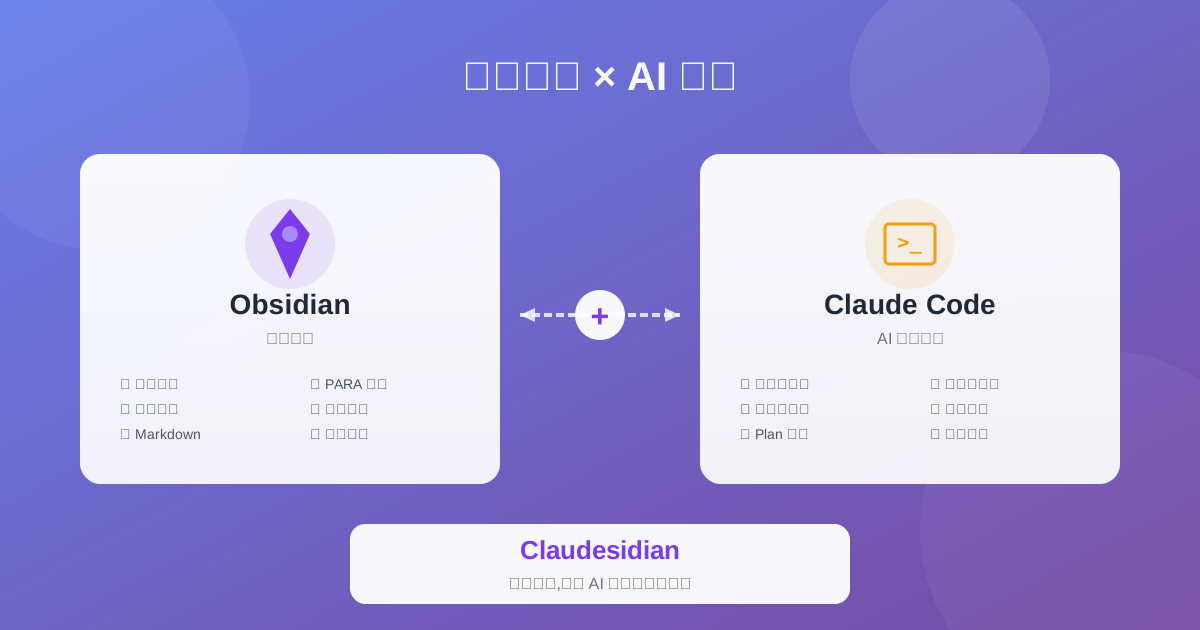
Claudesidian: Transform Obsidian into an AI-Powered Second Brain
Discover Claudesidian, an open-source project that perfectly integrates Obsidian with Claude Code. Built-in PARA method, custom commands, and automated workflows for a complete idea-to-implementation solution.
Complete Guide to Claude Skills - 10 Essential Skills Explained
Deep dive into Claude Skills extension mechanism, detailed introduction to ten core skills and Obsidian integration to help you build an efficient AI workflow
