
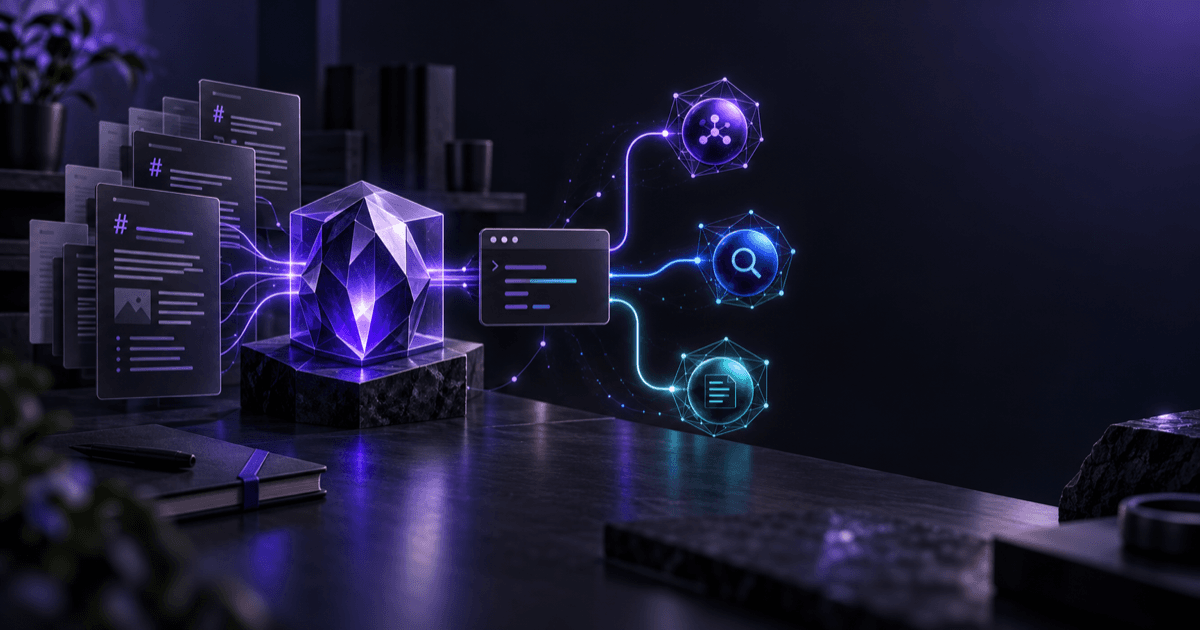
Obsidian CLI + Codex: Turn Your Vault into an Agent Knowledge Engine
Most AI knowledge bases begin by asking you to upload everything. Obsidian plus Obsidian CLI takes a different route. Your knowledge remains Markdown on your drive, Obsidian manages links, properties, tasks, and views, and Codex or another agent handles retrieval, synthesis, and maintenance.
The decisive change arrived on February 27, 2026. Obsidian 1.12 publicly released Obsidian CLI, exposing search, reading, creation, renaming, backlinks, tasks, and properties to the terminal. The official product page explicitly lists giving agentic tools access to a Vault as a use case.
This is not merely a chat box added to a notes app. It is a stable machine interface for a local knowledge base.
Why this is a knowledge engine, not just an AI notes plugin
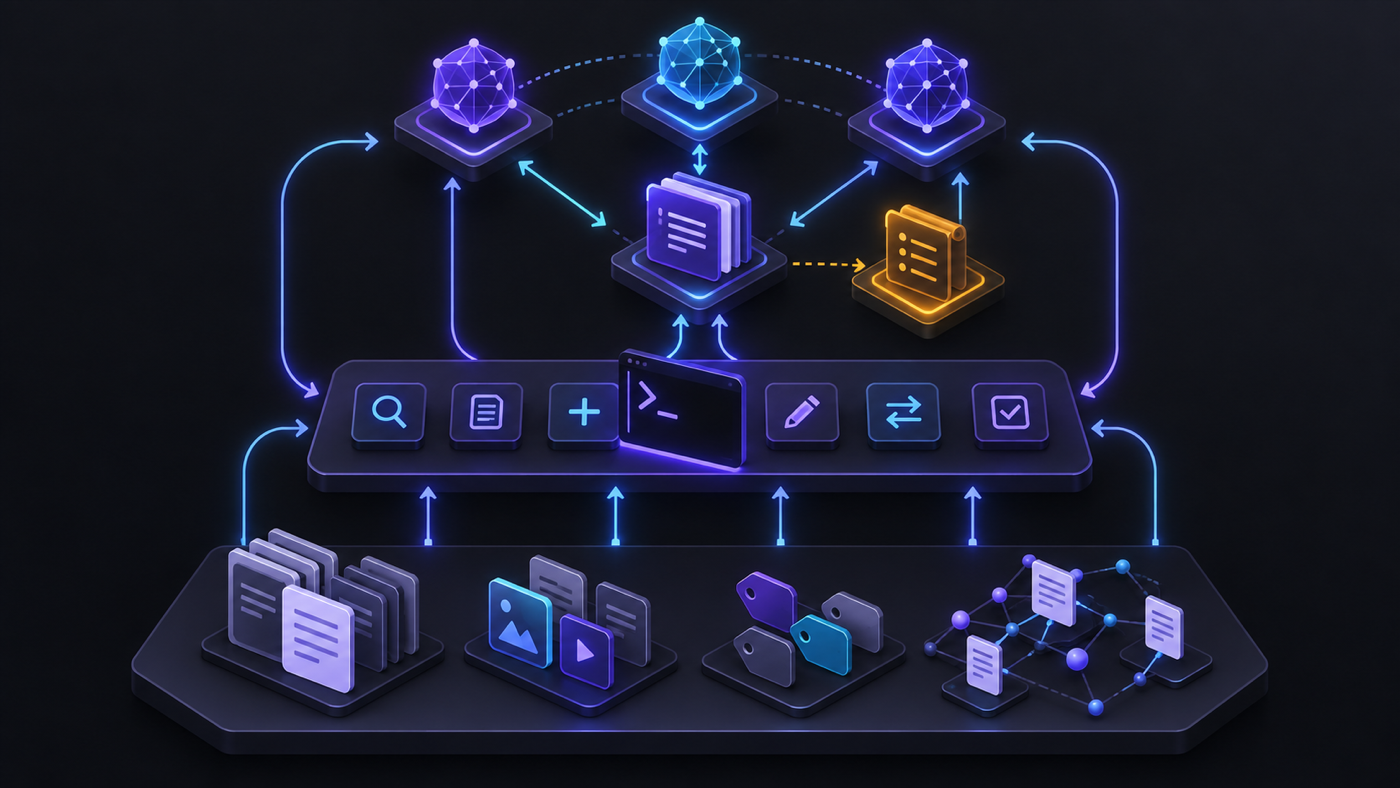
A durable knowledge engine needs at least four layers:
- Portable memory: Markdown, images, and attachments live in ordinary folders instead of being locked to one model or plugin.
- Structured indexes: Links, tags, properties, tasks, Bases, and folders add structure beyond full-text content.
- An executable interface: The CLI gives an agent explicit commands to search, read, create, and move knowledge.
- A constrained reasoner: Codex, Claude Code, Gemini CLI, OpenCode, or another agent follows written rules and leaves an operation log.
Agents could already edit .md files, but a filesystem edit does not automatically respect all of Obsidian's application semantics. Renaming a note with a generic file command may leave broken links. obsidian rename can update internal links when that Vault setting is enabled. grep finds strings, while obsidian backlinks, orphans, and deadends report the state of the knowledge graph.
The CLI's value is not that agents can finally read Markdown. They could already do that. Its real contribution is this: agents can now operate Obsidian in a way Obsidian itself understands.
Three real community events that show the direction
These are user reports, not independent benchmarks. Still, together they show how the workflow is evolving.
Event 1: A multi-agent interface appeared before the official CLI
On October 3, 2025, a developer introduced Agent Client on r/ObsidianMD, placing Claude Code, Gemini CLI, and similar agents in the Obsidian sidebar. By December, it had mode and model switching and explicitly supported Codex.
The demand was not for another autocomplete plugin. Users wanted to switch agents while keeping one Vault as their shared memory.
Event 2: Agent conversations started flowing back into the Vault
On January 31, 2026, another developer released Chat2MD. It converted JSON and JSONL sessions scattered across Claude Code, Gemini CLI, and Codex CLI into Markdown, added frontmatter such as date, project, session ID, and working directory, and connected sessions to Daily Notes through backlinks.
That is an important reversal. Agents do not only consume the knowledge base. Their work can return to it, become searchable, and support later review.
Event 3: The second brain became a maintainable layered system
On July 15, 2026, an AI-maintained second brain case on r/ClaudeAI divided the Vault into immutable Raw sources, quick captures in Inbox, maintained pages in Wiki, an index, and an operation log. Two recurring commands drove the system: ingest saved sources and updated related pages, while query read the index first, opened only the necessary notes, and answered with citations.
It points to a more mature design than asking an AI to search every note: raw evidence, synthesized knowledge, and agent behavior must remain separate.
A Vault structure you can copy
Second Brain/
├── AGENTS.md
├── Inbox/
├── Raw/                 # Original sources; append, never rewrite
├── Wiki/
│   ├── Concepts/
│   ├── Entities/
│   └── Decisions/
├── Projects/
├── Daily/
├── Index/
│   └── HOME.md
└── Ops/
    └── agent-log.md
Raw is the evidence layer, Wiki is the synthesized knowledge layer, Index is the low-cost navigation layer, and Ops is the audit layer. The key rule is simple: an agent may revise the Wiki, but it may not silently rewrite Raw.
If you use Codex CLI, place an AGENTS.md file at the Vault root:
# Vault working rules

- Search Index/HOME.md before scanning the whole vault.
- Treat Raw/ as immutable evidence. Never rewrite or delete it.
- Every synthesized claim must link to at least one note in Raw/.
- Prefer obsidian rename/move over filesystem mv so links stay valid.
- Log every batch change in Ops/agent-log.md.
- Show the proposed file list before changing more than five notes.
Official Codex documentation explains that the CLI reads in-scope AGENTS.md files before starting work. Claude Code and Gemini CLI can express equivalent rules through their own instruction mechanisms. Do not hide essential governance in a one-off prompt.
Build the first workflow in 15 minutes
1. Enable Obsidian CLI
Follow the official Obsidian CLI instructions: install desktop version 1.12.7 or later, enable Command line interface under Settings → General, and register it on your PATH. The CLI connects to a running Obsidian app. It is not a headless server by default.
Verify the setup:
obsidian version
obsidian vault="Second Brain" files total
obsidian vault="Second Brain" search query="decision"
When the terminal is already inside the Vault directory, you can omit vault=.
2. Make the agent search before it reads
Do not load thousands of notes into the context window. First query indexes and paths:
obsidian search:context query="pricing decision" path="Wiki" format=json
obsidian backlinks file="Pricing Strategy" format=json
obsidian read path="Wiki/Decisions/Pricing Strategy.md"
This creates a simple retrieval funnel: index → search results → relevant notes → raw evidence. Many personal Vaults do not need a vector database on day one. Lexical search, a link graph, and good titles already cover a large share of useful queries.
3. Give Codex a task with acceptance criteria
Start codex at the Vault root and enter:
Process Inbox/2026-09-22-agent-notes.md.

Read AGENTS.md and Index/HOME.md first. Use Obsidian CLI to find related concepts
and backlinks. Copy the source into Raw/2026/ without rewriting it. Update or create
concept pages in Wiki/Concepts/. Link every new claim to a Raw source. Finally update
Index/HOME.md and append the file list, rationale, and unresolved questions to
Ops/agent-log.md.

Acceptance: create no unresolved links; never overwrite a Raw file; report orphan and
unresolved counts before and after the change.
The acceptance criteria matter more than the model name. They define completion and give you commands to verify it:
obsidian unresolved total
obsidian orphans total
obsidian tasks todo verbose
4. Turn a successful operation into a repeatable command
Once the process works, turn it into an agent skill or a script instead of pasting a long prompt every time:
/ingest <path>: preserve the source, extract metadata, update the Wiki, and log the change./query <question>: read the index first, limit opened files, and cite note paths in the answer./weekly-review: summarize open tasks, orphan notes, broken links, and decisions from the week./handoff <project>: produce status, recent decisions, risks, and next actions for another agent.
Obsidian CLI also offers structured output from base:query, plus tasks, properties, tags, and diff. JSON or CSV output is more reliable for an agent than parsing an entire UI.
How to divide work among the CLI, plugins, and direct file access
The three approaches are complementary.
| Approach | Best for | Limitation |
|---|---|---|
| Direct Markdown access | Bulk text processing, Git diffs, cross-platform automation | Can bypass link updates and Obsidian application semantics |
| Obsidian CLI | Search, backlinks, properties, tasks, Bases, link-safe moves and renames | Requires desktop Obsidian and careful write permissions |
| Obsidian plugin or ACP client | Active-file context, text selection, and low-friction chat | Adds plugin supply-chain and UI dependencies |
A Reddit discussion on March 20, 2026 captured the boundary well. The CLI handles opening, searching, renaming, and automatic link updates. A plugin continuously tells an agent which note is open and which text is selected. They complement each other.
My preferred design is: the filesystem is the foundation, the CLI is the standard execution surface, and plugins provide real-time context and interaction. If any agent or plugin disappears, the knowledge remains usable.
The privacy caveat: local files do not imply local inference
This architecture is often described as fully private. That claim is too broad.
A local Vault means the primary copy of the data remains under your control. When Codex, Claude Code, or another cloud-backed model processes a note, relevant content may still be sent to that service. Review the data policy for the exact product, account, and organization. A .md extension does not guarantee that content never leaves the machine.
At minimum:
- Give the agent the smallest useful directory instead of the entire drive.
- Keep identity documents, credentials, health data, and client secrets outside its readable scope.
- Use approvals, Git checkpoints, or Obsidian File Recovery for batch changes.
- Treat web pages and Raw notes as untrusted input so prompt injection cannot quietly direct the agent to run commands.
Codex provides sandboxing, writable roots, and approval policies. Those boundaries should be part of the workflow, not an incident response.
The durable advantage is inheritable context, not one model
You can use Codex today, Claude Code tomorrow, and Gemini CLI next week. As long as knowledge, rules, sources, and operation logs remain ordinary files, a new agent can take over.
That is the strongest feature of Obsidian plus its CLI. It does not hand your second brain to one model. It makes the model a replaceable maintainer.
The minimum viable version needs neither a vector database nor a complex MCP server. Start with a well-structured Vault, write the governance rules, and let an agent complete one cited, logged, reversible maintenance task through the CLI. Add embeddings or a local index only when lexical search genuinely stops being enough.
Build a maintainable knowledge system first, then make the AI smarter. In the opposite order, you usually get only a chat box that produces more notes.
Sources
- Obsidian CLI product page
- Complete Obsidian CLI command documentation
- Obsidian 1.12 release notes, February 27, 2026
- Official OpenAI Codex CLI documentation
- Official OpenAI AGENTS.md documentation
- Reddit: Claude Code and Obsidian as an AI-maintained second brain
- Reddit: Chat2MD syncs multiple agent sessions into a Vault
Comments
No comments yet. Be the first to comment!
Related Tools


Related Articles
After Code Stopped Being Scarce (Part II): From AI Writing Code to AI Taking Part in Delivery
A year after leaving my previous employer, I document the delivery workflow for our financial business that we built around Claude Code and Opus 5.5: XaC, progressive rules, independent review and testing by Grok Bot, PR watch, and our actual delivery over the past three months.
Claude Code's Next Frontier: Not Code, But Your Local Obsidian Knowledge Base
Explore how Obsidian + Claude Code transforms from a knowledge management tool into your private AI assistant. Complete guide including obsidian-skills, Claudian plugin, Claudesidian template, and best practices for achieving both data privacy and AI capabilities.
After I Connected Obsidian to OpenClaw, It Started Helping Me Make Decisions
Once Obsidian stopped being just a place to store notes and started working with OpenClaw, it began helping me organize context, connect information, and improve real decisions.
