
Claude Plugins is the packaging and distribution system for Claude Code's extensibility framework. Plugins bundle together Skills (AI knowledge transfer), Hooks (rule enforcement), MCP servers (external tool connections), and custom commands (workflow automation) into single installable modules that can be shared across teams and the community.
With a simple /plugin install command, entire workflows, coding standards, quality gates, and integrations become instantly available - transforming Claude Code from an AI assistant into a programmable development platform with a thriving 500+ plugin ecosystem.
Key Features
1. Four-Layer Architecture
Plugins combine four complementary layers: Skills provide AI knowledge and "how-to" guidance, Hooks enforce rules through executable scripts, MCP servers connect to external tools and data, and custom commands automate complex workflows. This layered design creates complete, enforceable automation.
2. One-Command Installation
Install complete workflow packages with /plugin install plugin-name@organization. All components (Skills, Hooks, MCP integrations, commands) activate automatically without manual configuration, making team onboarding and standardization effortless.
3. Open Distribution Model
No approval process or marketplace gatekeeping - anyone can create and share plugins through GitHub, npm, or direct distribution. This community-driven model has enabled rapid growth to 500+ plugins covering DevOps, testing, security, documentation, and vertical domains.
4. MCP Protocol Integration
Built on Anthropic's Model Context Protocol (MCP) - an open standard for AI tool connections. MCP plugins work across any MCP-supporting application, preventing vendor lock-in and enabling ecosystem interoperability like LSP did for code editors.
5. Modular Composition
Install multiple focused plugins rather than monolithic suites. Compose your perfect development environment by mixing official plugins, community contributions, and internal team modules tailored to your specific workflows and standards.
6. Plugin Marketplace Ecosystem
Discover plugins through Claude Plugin Marketplace (claude-plugins.dev), Awesome Claude Skills curated lists, MCP Servers Registry, and community forums. Ratings, reviews, and GitHub stars help identify quality plugins trusted by thousands of developers.
Use Cases
Who Should Use Claude Plugins?
- Development Teams: Standardize coding practices, commit conventions, and quality gates across all team members
- DevOps Engineers: Package deployment workflows, infrastructure checks, and CI/CD integrations as reusable plugins
- Enterprise Organizations: Enforce compliance policies (GDPR, SOC2, HIPAA) and security standards automatically
- Open Source Maintainers: Share best practices and workflow automation with your contributor community
- Plugin Developers: Build and monetize specialized tools for vertical industries or unique use cases
Problems It Solves
- Inconsistent Workflows: Eliminate "works on my machine" by packaging exact workflows, standards, and validations as plugins everyone installs
- Knowledge Silos: Capture expert knowledge as Skills so junior developers get senior-level guidance automatically
- Manual Quality Gates: Stop forgetting to run tests or linters - Hooks enforce quality requirements before commits or deployments
- Integration Complexity: MCP servers in plugins provide one-line integration with Slack, JIRA, databases, monitoring systems, and custom APIs
- Onboarding Friction: New team members get full development environment with
/plugin install @team/standardsinstead of following 50-page setup docs
Plugin Structure and Components
Directory Structure
my-plugin/
├── .claude-plugin/
│ └── plugin.json # Plugin metadata
├── skills/ # AI knowledge transfer
│ ├── code-review.md
│ └── commit-message.md
├── hooks/ # Rule enforcement scripts
│ ├── stop-hook.sh
│ ├── pre-tool-use.sh
│ └── post-tool-use.sh
├── commands/ # Custom automation
│ └── deploy.sh
└── .mcp.json # External integrations
Component Breakdown
Skills (Knowledge Layer):
- Markdown files teaching Claude how to approach specific tasks
- Auto-activate based on conversation context (80-84% accuracy with clear WHEN/WHEN NOT descriptions)
- Lightweight (30-50 tokens when inactive)
- Examples: code review standards, commit message formats, deployment procedures
Hooks (Enforcement Layer):
- Executable shell scripts triggered by lifecycle events (UserPromptSubmit, PreToolUse, PostToolUse, Stop, SubagentStop)
- Exit codes control behavior: 0 (continue), 1 (warn), 2 (block and force fix)
- Real enforcement - can prevent commits, deployments, or file operations that violate policies
- Examples: lint checks, test requirements, security scans, git validations
MCP Servers (Integration Layer):
- Connect Claude to external tools via Model Context Protocol
- Reuse 100+ community MCP servers (GitHub, Slack, databases, APIs)
- Configuration via .mcp.json in plugin root
- Examples: JIRA ticket updates, Slack notifications, database queries
Custom Commands (Automation Layer):
- Executable scripts adding new slash commands
- Combine multiple operations into single workflows
- Examples:
/deploy,/release,/backup,/security-scan
Popular Official Plugins
commit-commands (@claude-code-plugins)
Automates git workflows with conventional commits, push+PR, and branch cleanup.
Features:
/commit- Generate semantic commit messages following conventional commits spec/commit-push-pr- Complete workflow from commit to PR creation in one command/clean_gone- Remove local branches deleted on remote
ralph-wiggum (@claude-code-plugins)
Advanced agent loop technique for continuous background processing.
Features:
/ralph-loop- Start background agent loop/cancel-ralph- Stop active loops/help- Explain technique and usage
claude-hud (@claude-hud)
Integrate Claude Code status into terminal statusline.
Features:
/setup- Configure statusline integration- Real-time status display
- Customizable indicators
Popular Community Plugins
obsidian-skills (Official from Obsidian CEO)
GitHub: https://github.com/kepano/obsidian-skills
Teaches Claude about Obsidian note-taking: wikilinks, Canvas files, daily notes, database syntax. Maintained by Obsidian CEO Stephane Ango (kepano).
Claudesidian (1300+ stars)
GitHub: https://github.com/heyitsnoah/claudesidian
Complete Obsidian vault optimized for Claude Code with pre-configured skills, PARA method structure, and automated note processing workflows.
Accessibility Development
Specialized interface and prompts optimized for neurodiverse developers, focusing on clarity, reduced cognitive load, and customizable interaction patterns.
Enterprise Compliance Package
Automatic validation for GDPR, SOC2, HIPAA, and other regulatory requirements. Scans code for compliance issues and generates audit reports.
Multi-language Documentation Generator
One-click API documentation generation supporting 10+ languages with consistent formatting and translation quality.
Creating and Publishing Plugins
Quick Start
Create Plugin Structure:
mkdir my-plugin && cd my-plugin mkdir -p .claude-plugin skills hooks commandsAdd Metadata:
{ "name": "my-plugin", "version": "1.0.0", "description": "What your plugin does", "author": "Your Name", "repository": "https://github.com/org/my-plugin" }Add Components: Create Skills (.md), Hooks (.sh), MCP config (.mcp.json), or commands as needed
Test Locally:
/plugin install /path/to/my-pluginPublish: Push to GitHub, submit to marketplace, share in community
Distribution Channels
- GitHub Repositories: Recommended - use semantic versioning and release tags
- Claude Plugin Marketplace: https://claude-plugins.dev/
- npm Packages: For JavaScript/TypeScript ecosystem integration
- Direct Sharing: Zip files, git repos for internal teams
Best Practices
- Modular Design: Create focused plugins for specific purposes, not monoliths
- Clear Documentation: README with installation, usage, examples, troubleshooting
- Semantic Versioning: Tag releases properly for dependency management
- Security Review: Never hardcode secrets, validate inputs, document permissions needed
- WHEN Patterns: Use "WHEN + WHEN NOT" in Skill descriptions for 80%+ accuracy
Integration with Claude Code Ecosystem
Layered Architecture:
| Layer | Component | Purpose |
|---|---|---|
| Knowledge | Skills | What & How |
| Enforcement | Hooks | Must & Must Not |
| Tools | MCP | External Connections |
| Distribution | Plugins | Package & Share |
Installation Scopes:
- Official (@claude-code-plugins): Anthropic-maintained
- User: Individual developer contributions
- Organization (@org-name): Team/company plugins
- Project (managed): Project-specific, version controlled with code
Composability:
{
"plugins": [
"@myteam/code-standards",
"@myteam/security-checks",
"@myteam/deploy-workflow",
"commit-commands@claude-code-plugins"
]
}
Advantages & Unique Selling Points
Compared to Competitors:
- True Enforcement: Hooks can block actions vs GitHub Copilot/Cursor's suggestion-only model
- Open Standards: MCP protocol enables cross-tool compatibility vs vendor lock-in
- No Gatekeeping: Publish freely without approval process vs marketplace restrictions
- Complete Lifecycle: Cover prompt→tool→session lifecycle vs limited integration points
- Community-Driven: 500+ plugins and growing vs centralized vendor control
What Makes It Stand Out:
- Package entire workflows, not just code snippets
- Enforce team standards programmatically
- Build once, share forever - no platform limits
- MCP becoming "USB for AI tools" - universal standard
- Self-reinforcing ecosystem - AI helps create plugins that enhance AI
Security Considerations
Hook Permissions:
- Run with your user's shell permissions
- Can access files, execute commands, make network requests
- Review hook scripts before installing plugins from untrusted sources
Best Practices:
- Inspect Before Installing: Always review hook scripts in new plugins
- Trust Verification: Check GitHub stars, community feedback, maintainer reputation
- Least Privilege: Disable plugins when not actively needed
- Regular Audits: Review installed plugins quarterly, remove unused ones
- Environment Isolation: Test new plugins in containers or VMs first
No Approval Process:
- Advantage: Fast innovation, no bureaucracy
- Risk: No pre-vetting for security or quality
- Responsibility: Users evaluate safety themselves
Frequently Asked Questions
How do I find quality plugins?
Check Claude Plugin Marketplace ratings, GitHub stars, community discussions on Reddit/Twitter, and number of downloads. Look for active maintenance and responsive issue resolution.
Can I use plugins offline?
Yes, Skills and Hooks work completely offline. Only MCP servers requiring external API calls need network access.
Do plugins slow down Claude Code?
No, Skills use only 30-50 tokens when inactive. Hooks execute only when triggered. Well-designed plugins have minimal performance impact.
Can I monetize plugins?
Yes, though most are free/open source. Some developers offer premium plugins, consulting for custom plugin development, or enterprise support contracts.
How do plugins handle updates?
Use semantic versioning and release tags. Users can update with /plugin update plugin-name or lock to specific versions for stability.
Are there plugin templates?
Yes, Awesome Claude Skills repository includes starter templates. The official documentation provides scaffold generators.
Real-World Success Stories
Sionic AI - ML Experiment Acceleration
Running 1000+ ML experiments daily across GPU clusters, Sionic AI created Skills encapsulating hardware configs (NVIDIA A100 x8), framework parameters (ms-swift, vLLM, DeepSpeed), and 20+ documented failure paths. Result: Multiplied experimental efficiency, eliminated repeated mistakes.
Enterprise Compliance Automation
Fortune 500 company built internal plugin checking GDPR, SOC2, and industry-specific regulations. Automated what previously required manual review, reducing compliance violations by 95%.
Alternatives
If Claude Plugins isn't right for you:
- GitHub Copilot Extensions: If you're GitHub-centric and want vendor support
- Cursor Rules Files: If you prefer simple configuration over programmability
- Custom Scripts + Git Hooks: If you want full control and don't need AI integration
- IDE Extensions: If you need language-specific deep integration
Conclusion
Claude Plugins represents the future of AI-assisted development - not a monolithic tool dictating how you work, but an open platform where you define standards, enforce quality, integrate tools, and share knowledge. With 500+ plugins and a thriving community, the ecosystem demonstrates that programmable, composable AI workflows are not just possible but essential for modern development teams.
Whether you're standardizing team practices, automating complex deployments, ensuring compliance, or building specialized vertical tools, Claude Plugins provides the architecture and ecosystem to transform your AI assistant into a true collaborative platform that works exactly the way your team needs.
Comments
No comments yet. Be the first to comment!
Related Tools
Claude Hooks
claude.ai/code
Event-driven script execution system in Claude Code that automatically runs shell commands in response to specific events, enabling workflow automation, quality gates, and custom integrations.
Claude Skills
claude.ai/code
Modular, reusable AI workflows that extend Claude Code's capabilities through custom skill definitions, enabling developers to create specialized AI modes for specific tasks.
Claude Subagents
claude.ai/code
Multi-agent architecture in Claude Code that enables parallel task execution through specialized AI workers with isolated context windows, overcoming single-agent limitations for complex operations.
Related Insights
Skills + Hooks + Plugins: How Anthropic Redefined AI Coding Tool Extensibility
An in-depth analysis of Claude Code's trinity architecture of Skills, Hooks, and Plugins. Explore why this design is more advanced than GitHub Copilot and Cursor, and how it redefines AI coding tool extensibility through open standards.
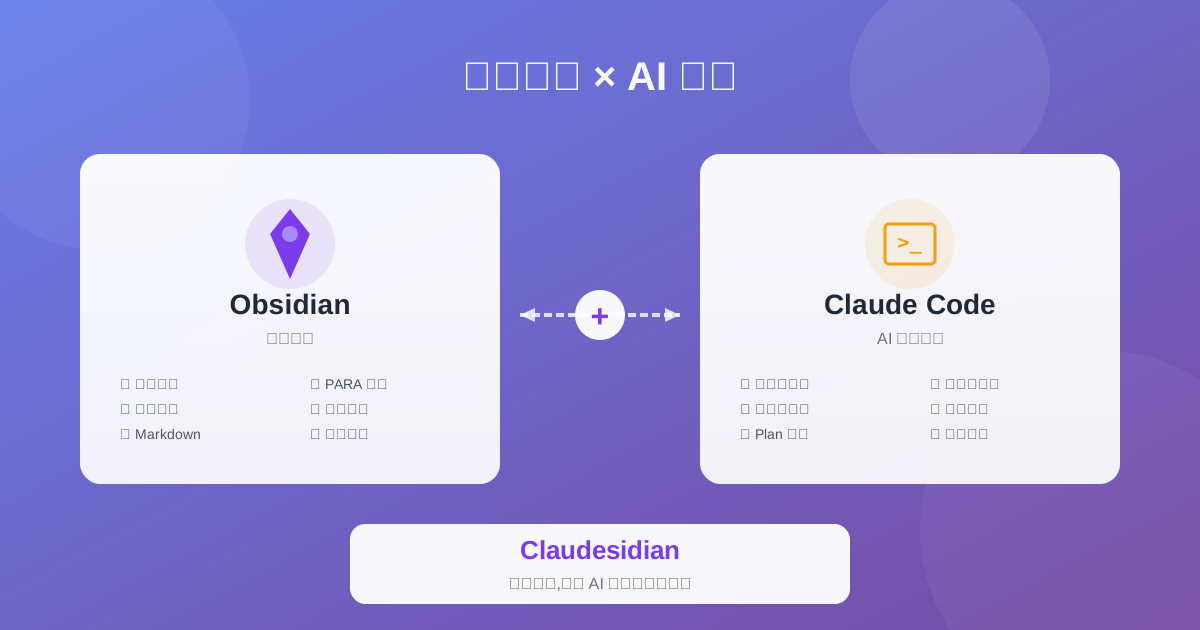
Claudesidian: Transform Obsidian into an AI-Powered Second Brain
Discover Claudesidian, an open-source project that perfectly integrates Obsidian with Claude Code. Built-in PARA method, custom commands, and automated workflows for a complete idea-to-implementation solution.
Complete Guide to Claude Skills - 10 Essential Skills Explained
Deep dive into Claude Skills extension mechanism, detailed introduction to ten core skills and Obsidian integration to help you build an efficient AI workflow