

Link Agents is an enhanced open-source fork of Craft Agents, developed by hunterzhang86, specifically optimized for Claude Code workflows. While retaining all the powerful agent orchestration and workflow management capabilities of Craft Agents, it adds GUI-based Skills management, session management, and data import/export features, making AI Agents accessible even to users unfamiliar with terminals and configuration files.
🎯 Latest Upgrade Highlights
Link Agents recently underwent a major upgrade with the core goal of lowering the barrier to entry, making AI Agents and Skills accessible to more people:
GUI-Based Skills Management
- ✅ Visual Installation & Management: Install, configure, and update Skills through a friendly graphical interface
- ✅ Zero Configuration Barrier: No need to manually edit config files or understand complex directory structures
- ✅ Unified Management Center: Manage all Skills in one interface with Workspace-level configuration support
- ✅ One-Click Installation: macOS users can complete installation with a single command
One-Click Installation Command
curl -fsSL https://raw.githubusercontent.com/hunterzhang86/link-agents/main/scripts/install-app.sh | bash
This upgrade addresses a real-world problem: many developers want to use AI Agents and Skills but aren't familiar with terminal operations and config file editing. Now, with the graphical interface, anyone can get started easily.
Core Features
1. GUI Skills Management Interface 🆕
Link Agents provides an intuitive graphical interface for managing Skills, completely transforming the traditional command-line configuration approach:
- Visual Installation: Browse and install Skills without manually cloning repositories or editing configs
- Zero-Config Experience: Automatically handles config files and directory structures—users don't need technical knowledge
- Real-Time Preview: View detailed information, usage instructions, and examples for Skills
- One-Click Updates: Easily update installed Skills to the latest version
- Workspace Support: Project-level Skills configuration and management
- Dependency Management: Automatically handles dependencies between Skills
2. Claude Code Session Import/Export
Link Agents provides bidirectional session import and export functionality with Claude Code, allowing you to:
- Seamlessly migrate session data and switch between platforms
- Maintain complete conversation history without losing context
- Conveniently backup and restore important development sessions
- Support batch import/export for improved efficiency
2. Claude Code Session Import/Export
Link Agents provides bidirectional session import and export functionality with Claude Code, allowing you to:
- Seamlessly migrate session data and switch between platforms
- Maintain complete conversation history without losing context
- Conveniently backup and restore important development sessions
- Support batch import/export for improved efficiency
3. Session Browser
Provides complete session history browsing with all metadata:
- View detailed information and execution records of all historical sessions
- Support session search, filtering, and categorization
- Visualize session flows and agent interactions
- Quickly locate and trace specific development processes
4. Original SDK Session ID Preservation
When importing Claude Code sessions, Link Agents preserves the original SDK Session ID:
- Ensures session identity consistency and traceability
- Facilitates cross-platform correlation and session data tracking
- Supports integration and data synchronization with other tools
- Maintains complete session lifecycle records
5. Custom Anthropic API Base URL Support
Supports configuration of custom Anthropic API base URLs:
- Suitable for proxy server or private endpoint scenarios
- Supports enterprise intranet deployment and custom network configurations
- Provides more flexible API access methods
- Meets different network environments and security requirements
6. Inherits Craft Agents Core Capabilities
Fully retains all powerful features of Craft Agents:
- Agent Orchestration: Coordinate multiple AI agents working together, define interaction relationships
- Workflow Management: Support sequential, parallel, and conditional branching workflows
- Multi-Agent Collaboration: Multiple agents share context and state for distributed problem-solving
- Extensible Architecture: Modular design supporting custom agent types and workflow components
Use Cases
Visual Skills Management
- Beginner-Friendly: Users unfamiliar with terminals can easily install and configure Skills
- Team Collaboration: Unified Skills configuration management through GUI for teams
- Quick Experimentation: Rapidly try different Skills to find the best workflow
- Workspace Management: Configure different Skills combinations for different projects
Development Workflow Management
- Session Persistence: Save important development sessions and resume work state anytime
- Cross-Device Collaboration: Sync development progress and context across different devices
- Team Collaboration: Share and import team members' sessions to quickly understand project background
- Knowledge Accumulation: Archive successful development sessions to form reusable knowledge base
Complex Task Automation
- Multi-Step Workflows: Build AI workflows with multiple steps, each handled by specialized agents
- Task Decomposition: Break complex tasks into subtasks with different agents handling different parts
- Intelligent Decision-Making: Multiple agents analyze problems from different angles and synthesize recommendations
Enterprise Application Integration
- Private Deployment: Support enterprise intranet deployment through custom API URLs
- Data Security: Session data can be managed and backed up locally
- Process Standardization: Establish standardized agent workflows to improve team efficiency
Research and Experimentation
- Experiment Recording: Completely record session data and results of each experiment
- Pattern Exploration: Explore different multi-agent collaboration strategies and design patterns
- Performance Analysis: Analyze agent execution efficiency and bottlenecks through session browser
Technical Architecture
Session Management Layer
- Session Storage: Efficient session data storage and indexing mechanism
- Data Serialization: Support multiple formats for session data import/export
- Metadata Management: Complete session metadata recording and querying
- Version Control: Session data version management and rollback
Agent Orchestration Layer
- Unified Interface: Define standard agent interfaces and behavior specifications
- Scheduling Engine: Responsible for agent scheduling and coordination
- Message Passing: Manage message passing and state synchronization between agents
- Performance Monitoring: Real-time monitoring of agent execution status and performance metrics
Workflow Engine
- Process Definition: Flexible workflow definition language
- Execution Control: Support complex control flow logic (sequential, parallel, conditional, loop)
- State Management: Workflow state persistence and recovery
- Error Handling: Comprehensive error handling and recovery mechanisms
Integration Layer
- Claude Code Integration: Deep integration with Claude Code's session and tool system
- API Adaptation: Support custom Anthropic API endpoints
- Tool Extension: Support custom tools and plugins
- Data Source Connection: Connect various data sources and external services
Technical Advantages
Compared to Original Craft Agents
- Graphical Interface: Provides friendly GUI, lowering barrier to entry, no manual config editing
- Skills Management: Visual installation, configuration, and updates for Skills with Workspace-level management
- One-Click Installation: macOS users can complete installation with a single command
- Session Management: Added complete session import/export and browsing functionality
- Claude Code Integration: Deeply optimized Claude Code workflow support
- Flexible Deployment: Support custom API URLs for more deployment scenarios
- Data Integrity: Preserve original session IDs for data traceability
Compared to Other Agent Frameworks
- Claude Code Focus: Specifically optimized for Claude Code workflows
- User-Friendly: Graphical interface makes it accessible even to non-technical users
- Session-First: Design philosophy centered around sessions
- Ready to Use: Inherits Craft Agents' mature architecture, one-click installation
- Community-Driven: Open-source project with continuous improvement
Getting Started
One-Click Installation (Recommended)
macOS users can quickly install with a single command:
curl -fsSL https://raw.githubusercontent.com/hunterzhang86/link-agents/main/scripts/install-app.sh | bash
After installation, you'll get:
- ✅ Complete graphical interface application
- ✅ Automatically configured development environment
- ✅ Out-of-the-box Skills management functionality
- ✅ No manual config file editing required
Manual Installation
If you want to install from source or need more control:
# Clone repository
git clone https://github.com/hunterzhang86/link-agents.git
cd link-agents

# Install dependencies
npm install
# or
pnpm install
Basic Configuration
// Configure custom API URL (optional)
const config = {
anthropicApiUrl: 'https://your-custom-api-endpoint.com',
apiKey: 'your-api-key'
};
Import Claude Code Session
// Import session from Claude Code
import { importSession } from 'link-agents';

const session = await importSession({
sessionId: 'claude-code-session-id',
preserveOriginalId: true
});
Browse Session History
// View all sessions
import { SessionBrowser } from 'link-agents';

const browser = new SessionBrowser();
const sessions = await browser.listSessions({
filter: { tags: ['development'] },
sort: 'createdAt',
order: 'desc'
});
Integration Capabilities
Claude Code Integration
- Bidirectional session import/export
- Preserve original session identifiers
- Support Claude Code tools and skills
- Compatible with Claude Code workflows
LLM Integration
- Support Anthropic Claude series models
- Custom API endpoint configuration
- Flexible model selection and switching
- Unified API interface
Tools and Services Integration
- Integrate common development tools
- Support custom tools and plugins
- Extend agent capabilities
- Connect various data sources and APIs
Developer Experience
Clean API
- Intuitive API design with low learning curve
- Clear documentation and code examples
- TypeScript type support
- Quick onboarding and development
Debugging Support
- Comprehensive debugging tools and logging system
- Visualized workflow execution process
- Session browser assists problem location
- Detailed error messages and stack traces
Test-Friendly
- Support unit testing and integration testing
- Mock agent behavior for testing
- Session data import/export facilitates testing
- Ensure code quality and reliability
Tips & Best Practices
1. Session Management Best Practices
- Regularly export important sessions for backup
- Use tags and categories to organize sessions
- Utilize session browser to quickly locate history
- Maintain session metadata integrity
2. Workflow Optimization
- Reasonably divide agent responsibilities, avoid overly complex single agents
- Use parallel execution to improve efficiency
- Set reasonable timeout and retry strategies
- Monitor agent performance and optimize bottlenecks timely
3. Custom API Configuration
- Choose appropriate API endpoints based on network environment
- Configure proxy servers to improve access stability
- Use environment variables to manage sensitive configurations
- Regularly check API connection status
4. Team Collaboration
- Establish unified session naming conventions
- Share successful workflow templates
- Regularly sync and backup team sessions
- Use version control to manage configuration files
Frequently Asked Questions
What's the difference between Link Agents and Craft Agents?
Link Agents is an enhanced fork of Craft Agents that retains all original features while adding:
- Graphical Interface: Visual Skills management without manual config file editing
- One-Click Installation: macOS users can complete installation with a single command
- Session Management: Claude Code session import/export, session browser, original SDK session ID preservation
- Custom API URL: Support for enterprise intranet deployment and proxy servers Specifically optimized for Claude Code workflows, making AI Agents simpler to use.
I'm not familiar with terminals, can I use Link Agents?
Absolutely! This is exactly the core goal of Link Agents' latest upgrade. With the graphical interface, you can:
- Visually install and manage Skills
- No manual config file editing required
- No need to understand complex directory structures
- One-click installation to get started
How do I install Link Agents?
macOS users are recommended to use the one-click installation command:
curl -fsSL https://raw.githubusercontent.com/hunterzhang86/link-agents/main/scripts/install-app.sh | bash
Users on other platforms can clone the repository from GitHub for manual installation.
How do I import existing Claude Code sessions?
Use the importSession API to easily import Claude Code sessions by simply providing the session ID. Link Agents automatically preserves the original session ID and all metadata.
Which Claude models are supported?
Link Agents supports all Anthropic Claude series models, including Claude Sonnet 4.5, Claude Opus 4.5, etc. You can choose different performance levels based on your needs.
Can it be used in enterprise intranets?
Yes. Link Agents supports custom Anthropic API base URLs, allowing you to configure enterprise intranet proxy servers or private endpoints to meet enterprise security and network requirements.
Where is session data stored?
Session data is stored locally by default, giving you complete control over data storage location and backup strategy. Link Agents also supports exporting session data in standard formats for easy migration and backup.
Alternatives
If Link Agents doesn't fit your needs, consider these alternatives:
- Craft Agents: Original framework if you don't need Claude Code-specific features
- LangGraph: LangChain's graph-based state workflow framework
- CrewAI: Role-playing multi-agent collaboration framework
- AutoGen: Microsoft's multi-agent conversation framework
- Claude Agent SDK: Anthropic's official agent development toolkit
Conclusion
Link Agents provides a powerful and flexible solution for Claude Code + Agents workflows. Through GUI-based Skills management, enhanced session management, deep Claude Code integration, and flexible deployment options, it enables developers to build and manage complex AI agent systems more efficiently.
The latest upgrade completely transforms the AI Agents user experience:
- ✅ Zero Barrier: No need to be familiar with terminals or config files
- ✅ Visual: Manage everything through a friendly graphical interface
- ✅ One-Click Installation: macOS users need only one command
- ✅ Team-Friendly: Suitable for Workspace-level collaboration
Whether you need to persist development sessions, collaborate across devices, or deploy AI agents in enterprise environments, Link Agents provides reliable technical support. As an open-source project, it welcomes community contributions to advance AI agent technology together.
Visit the GitHub repository now to start using Link Agents and experience enhanced Claude Code agent workflows!
Related Resources
Comments
No comments yet. Be the first to comment!
Related Tools


Related Insights

Skills + Hooks + Plugins: How Anthropic Redefined AI Coding Tool Extensibility
An in-depth analysis of Claude Code's trinity architecture of Skills, Hooks, and Plugins. Explore why this design is more advanced than GitHub Copilot and Cursor, and how it redefines AI coding tool extensibility through open standards.
Stop Cramming AI Assistants into Chat Boxes: Clawdbot Picked the Wrong Battlefield
Clawdbot is convenient, but putting it inside Slack or Discord was the wrong design choice from day one. Chat tools are not for operating tasks, and AI isn't for chatting.
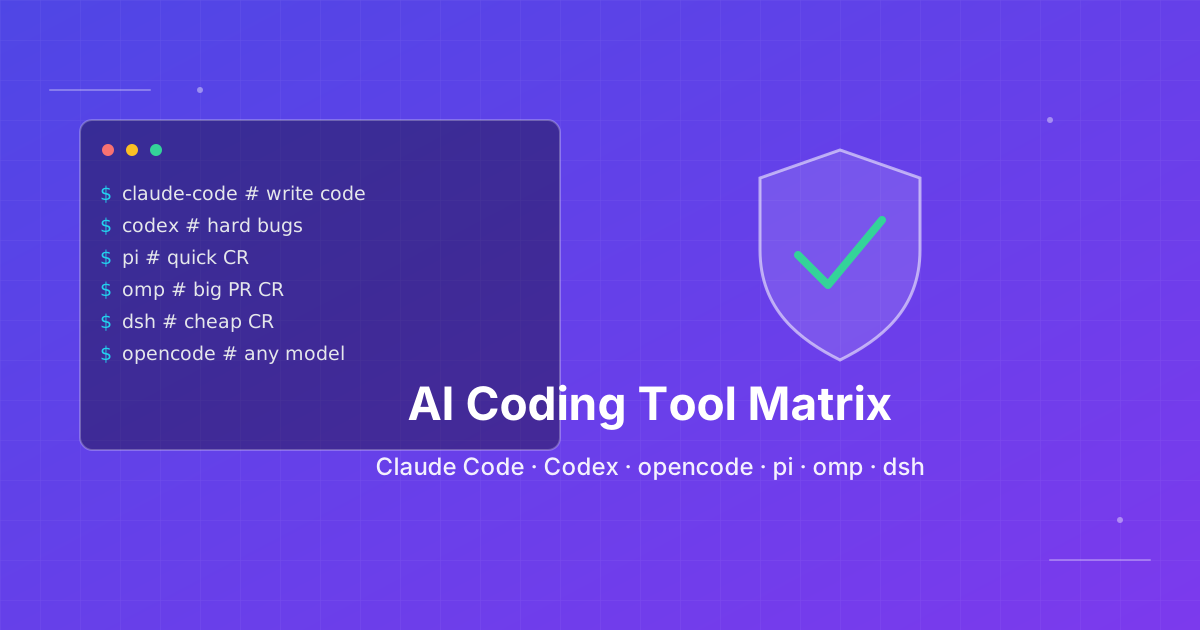
Seven AI Coding CLIs, Six Months: No Matter How Strong the Model, Work Needs Supervision
Claude Code, Codex, opencode, pi, omp and DeepSeek Harness all have personalities. After six months of deep use I run a division of labor: pi for the fastest cheapest reviews, omp for complex PRs, DeepSeek Harness on V4 Flash for high-frequency low-cost review, and Claude Code, Qoder and Cursor for writing. No matter how strong the model, work needs supervision — ideally from an independent third party.