

Moltbot (formerly Clawdbot) is an open-source self-hosted AI personal assistant created by renowned developer Peter Steinberger. The project went viral within weeks, providing users with a privacy-focused, fully local AI assistant capable of managing email, calendars, task lists, and various workflows.
Background
Moltbot was initially released as "Clawdbot" but was renamed to Moltbot after Anthropic requested the change due to similarity with Claude. Despite the rebrand, the project's core philosophy and functionality remain unchanged: providing users with a truly personal, self-hostable AI assistant.
Important Notice: Project founder Peter Steinberger has publicly stated multiple times that Moltbot has never issued any tokens and has no cryptocurrency plans. Beware of any token scams claiming association with Moltbot.
Core Features
1. Self-Hosted & Privacy-First
- Fully Local: Runs on your own devices with complete data control
- Privacy Protection: No cloud dependency, sensitive data stays local
- Open Source: Fully transparent codebase for audit and modification
- Data Sovereignty: Complete control over all your data
2. Intelligent Email Management
- Inbox Clearing: Smart email categorization and processing
- Email Composition: AI-assisted email drafting and sending
- Email Summaries: Quick summarization of long emails
- Priority Sorting: Automatic identification of important emails
3. Calendar & Schedule Management
- Smart Scheduling: Automatic meeting and task scheduling
- Calendar Sync: Integration with major calendar services
- Conflict Detection: Automatic identification and resolution of schedule conflicts
- Reminders: Timely notifications for important events
4. Task Automation
- Task Extraction: Automatic task extraction from emails and conversations
- Task Management: Create, track, and complete tasks
- Workflow Automation: Automate repetitive tasks
- Cross-Platform Integration: Support for multiple messaging platforms and tools
5. Cross-Platform Support
- Windows: Full native Windows support
- macOS: Native macOS application experience
- Linux: Support for major Linux distributions
- Multi-Platform Messaging: Integration with Slack, Discord, and more
6. Open Source & Community-Driven
- Active Community: Rapidly growing developer and user community
- Skills Extensions: Support for community-developed skills and plugins
- Continuous Updates: Only 19 days old with massive attention, rapid iteration
- Comprehensive Documentation: Detailed installation and usage guides
Use Cases
Personal Productivity
- Email Management: Automate daily email handling, save significant time
- Schedule Optimization: Smart scheduling to avoid conflicts and oversights
- Task Tracking: Automatic extraction and tracking of to-dos
- Information Organization: Aggregate and summarize important information
Team Collaboration
- Team Assistant: Shared AI assistant for teams
- Meeting Scheduling: Automatic coordination of team member schedules
- Task Assignment: Smart assignment and tracking of team tasks
- Information Sync: Ensure timely team information synchronization
Enterprise Applications
- Private Deployment: Fully self-hosted to meet enterprise security requirements
- Data Compliance: Data stays within enterprise network for compliance
- Custom Development: Open architecture supports enterprise customization
- Cost Control: Self-hosting reduces long-term operational costs
Developer Tools
- API Integration: Rich API support for automated workflows
- Skill Development: Developers can create custom skills
- Toolchain Integration: Seamless integration with development toolchains
- Automation Scripts: Support for complex automation scripts
Security Considerations
Known Security Issues
According to cybersecurity researchers, early versions of Moltbot had some security concerns:
- Data Leak Risks: Potential inadvertent exposure of personal data and API keys
- Fake Extensions: Fake VS Code extensions installing malware have appeared
- GitHub Hijacking: Project experienced GitHub account hijacking incidents
Security Recommendations
- ✅ Download from Official Sources Only: Only from official GitHub repo or website
- ✅ Verify Code Signatures: Verify signatures and hashes before installation
- ✅ Regular Updates: Update promptly to get security fixes
- ✅ Review Permissions: Carefully review requested permissions
- ✅ Backup Data: Regularly backup important data
- ✅ Beware of Scams: Don't trust any Moltbot tokens or cryptocurrency projects
Getting Started
System Requirements
- OS: Windows 10+, macOS 10.15+, Linux (major distributions)
- Hardware: Recommended 8GB+ RAM, sufficient storage
- Network: Internet connection required (for AI API calls)
- Dependencies: Node.js, Python, and other runtime environments
Installation
# Clone repository
git clone https://github.com/moltbot/moltbot.git
cd moltbot

# Install dependencies
npm install
# or
pnpm install

# Configure environment
cp .env.example .env
# Edit .env file, add API keys and configuration

# Start application
npm start
Technical Advantages
Compared to Cloud AI Assistants
- Privacy Protection: Data fully localized, not uploaded to third-party servers
- Cost Control: Self-hosting reduces long-term costs
- Customization Flexibility: Open architecture supports deep customization
- Data Sovereignty: Users have complete control over their data
Compared to Other Open Source Assistants
- Complete Features: Comprehensive email, calendar, task functionality
- Easy Deployment: Relatively simple installation and configuration
- Active Community: Rapidly growing community and ecosystem
- Continuous Updates: Active project maintenance with rapid feature iteration
Frequently Asked Questions
Is Moltbot completely free?
Moltbot itself is open-source and free, but using AI features requires your own API keys (like Claude API, OpenAI API), which charge based on usage.
How to ensure data security?
Moltbot supports fully local operation with no data uploaded to third-party servers. Recommend using strong passwords, enabling encrypted storage, and regular data backups.
Are Moltbot-related tokens real?
No. Founder Peter Steinberger has stated multiple times that no tokens have been issued and there are no cryptocurrency plans. All tokens claiming Moltbot association are scams.
How to avoid fake extensions and malware?
Only download from the official GitHub repository (https://github.com/moltbot/moltbot) or official website (https://www.molt.bot). Don't install browser or VS Code extensions from unknown sources.
Alternatives
If Moltbot doesn't fit your needs, consider these alternatives:
- n8n: Open-source workflow automation platform with AI integration
- Huginn: Open-source automation agent system
- Home Assistant: Open-source smart home and automation platform
- Zapier: Commercial workflow automation service
- Make (Integromat): Visual automation platform
Conclusion
Moltbot provides a powerful open-source AI assistant solution for users who prioritize privacy and data sovereignty. Through self-hosted deployment, users can maintain complete control over their data while enjoying AI-driven email management, scheduling, and task automation.
Although the project is young (gained widespread attention in just 19 days), the active community and continuous updates demonstrate strong development potential. For developers, privacy-conscious individuals, and enterprises needing self-hosted solutions, Moltbot is a choice worth considering.
Security Reminder: Always download from official channels, beware of fake extensions and token scams, and update regularly for security fixes.
Visit the official website or GitHub repository to start using Moltbot!
Related Resources
Related: 1Code and Agent Browser. Hub: dev-tools.
Comments
No comments yet. Be the first to comment!
Related Tools


Related Insights

Skills + Hooks + Plugins: How Anthropic Redefined AI Coding Tool Extensibility
An in-depth analysis of Claude Code's trinity architecture of Skills, Hooks, and Plugins. Explore why this design is more advanced than GitHub Copilot and Cursor, and how it redefines AI coding tool extensibility through open standards.
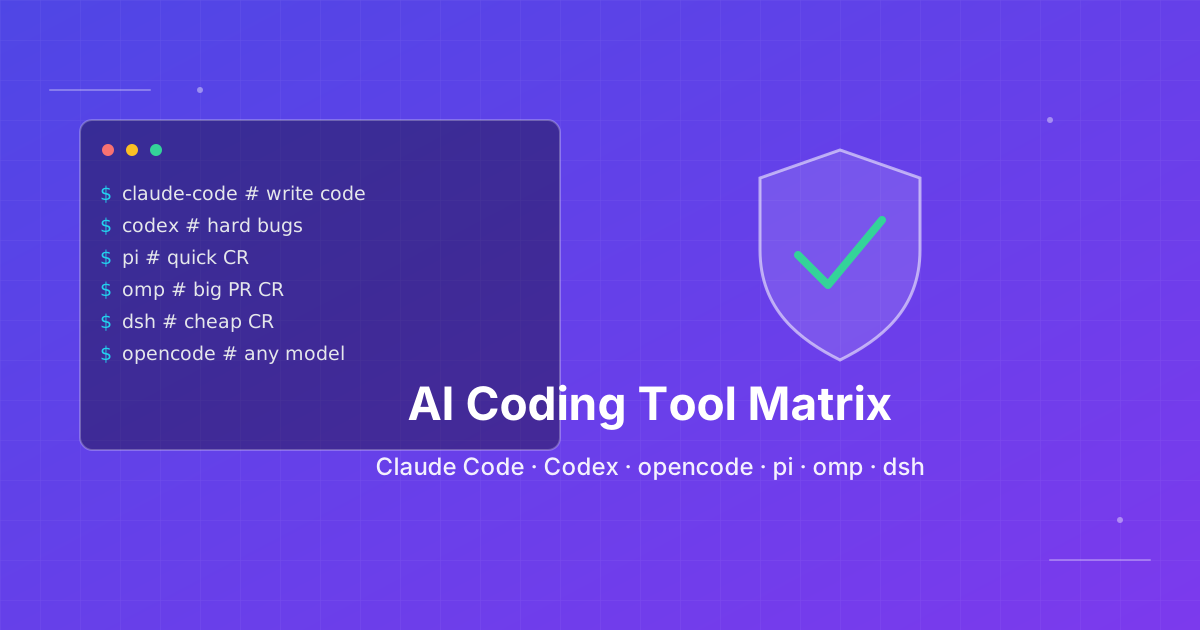
Seven AI Coding CLIs, Six Months: No Matter How Strong the Model, Work Needs Supervision
Claude Code, Codex, opencode, pi, omp and DeepSeek Harness all have personalities. After six months of deep use I run a division of labor: pi for the fastest cheapest reviews, omp for complex PRs, DeepSeek Harness on V4 Flash for high-frequency low-cost review, and Claude Code, Qoder and Cursor for writing. No matter how strong the model, work needs supervision — ideally from an independent third party.
The Twilight of Low-Code Platforms: Why Claude Agent SDK Will Make Dify History
A deep dive from first principles of large language models on why Claude Agent SDK will replace Dify. Exploring why describing processes in natural language is more aligned with human primitive behavior patterns, and why this is the inevitable choice in the AI era.