

Claude Code account precautions: before you spend $200, do these six things
Do not put $200 into Claude immediately after registration.
Sort out your email identity, network exit and CC environment first. Leave more than two weeks between upgrades. If an account problem occurs, keep the project history so the work does not have to start over too.
My daily workflow uses Claude Code, or CC. These notes combine my registration approach, local residential-proxy setup, and previous DNS and Linux troubleshooting. The sanitized configuration and script are linked below.
Restarting after a suspension: back up history, then clear the old login
If you are setting up again after a suspension, first back up your usage history, then sign out and clear old account details. Do this before setting up accounts or the environment. First-time CC users can skip this step.
An account problem is disruptive enough. Deleting history, memory and project configuration adds another loss: explaining the project all over again.
My order of operations: back up work records, sign out, then remove old identity information.
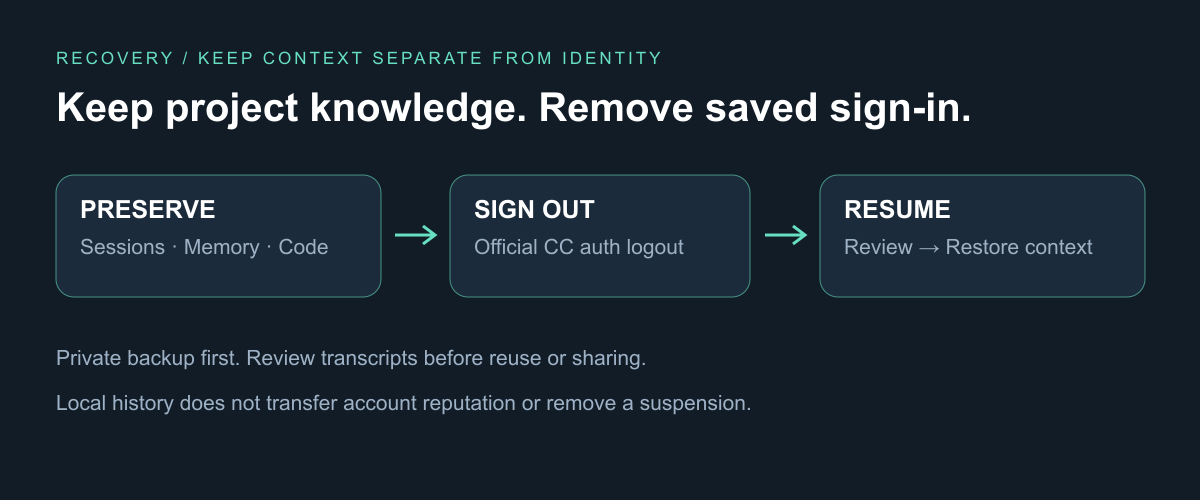
Download the history-preserving script. Close all CC sessions and run it from the download directory:
bash cc-preserve-history.sh             # Preview
bash cc-preserve-history.sh --execute   # Back up, then sign out
It retains projects/, history.jsonl, file-history/ and memory, invokes official logout, and removes residual oauthAccount from .claude.json. Do not use the old script's code or all mode: it moves these work records away too. Custom configuration directories require manual review.
Old email addresses, account IDs or keys inside transcripts need manual redaction; this script does not rewrite conversations. Keep raw backups private. Prepare a clean handoff note with the goal, completed work, next step and key files.
After recovery or authorization for an available authentication method, use claude --resume in the original project to choose a reviewed session. If it cannot resume, continue from the handoff note. CC authentication and resume
This avoids a work-context cold start, not an account-reputation reset. Appeal an explicit suspension; local cleanup cannot remove a server restriction.
1. One Gmail inbox, two possible sign-in addresses
Start with a Google account you control long term: use its Gmail address to create an Apple Account, and the Google account itself to sign into Google Play.
For Google accounts, this third-party account seller lists Gmail accounts. Check the account region, recovery options and support window before purchasing, and make sure you control the email and verification methods.
Need a US account first? Follow Create a US Apple Account: switch the App Store, keep iCloud signed in, with diagrams covering registration, store setup and gift-card credit.
The Apple route offers another useful option. When signing into Claude with Apple, select Hide My Email.
Original Gmail address ─────┐
                            ├→ One inbox
Apple private relay address ┘
That is what “use one email twice” means. Both addresses receive mail in one inbox, but they may identify different Claude accounts. Record the relay address and check it before paying, so you do not subscribe under the wrong identity. Apple private email · Claude login
Keep purchase and sign-in identities separate: native iPhone apps use the device’s iCloud account for Sign in with Apple. Switching the App Store account does not switch that identity. Check the account shown during authorization.
If eligible for the US store, set its region and complete email, phone and payment verification. Google Play uses the Google account directly; location and payment details must meet its country requirements.
There are two payment routes to consider:
- US Apple Account: buy a US Apple Gift Card through Alipay, then redeem it in the App Store for Apple Account balance and use it for subscriptions that accept that balance. Follow this Alipay gift-card tutorial. Check that the card is for the US region and App Store purchases; if the Alipay in-app entry is unavailable, the tutorial also describes website checkout with an Alipay QR payment; availability may change.
- Google Play: try a China-issued multi-currency card that supports online USD payments. Add the card, complete issuer verification and pay for the subscription. USD support is a prerequisite, not a guarantee: Play's regional rules and the issuer's authorization still apply. Google Play payment methods
Unsure how the billing address fields work? The US tax-free-state address generator provides examples of Street Address, City, State and ZIP Code. Use them as format references when a Claude, Apple or Google Play payment form asks for a US address. Generated results are test data; enter your actual billing details and check the tax shown at checkout.
No Android phone? Use an emulator with Google Play. Configure its network before signing in, installing or paying. Mobile devices handle those steps; daily work returns to CC. Initial CLI authorization may open a browser, without using the web chat or desktop app for work.
2. Route the emulator through residential too, then check IP and DNS
My Clash Verge setup connects through a Cliproxy US residential exit:
CC / Android emulator → Clash Verge → transit → Cliproxy US residential exit
Download the sanitized configuration. It preserves the transit, residential and BlueStacks routing structure, with credentials replaced by placeholders.
- Fill in your transit node and Cliproxy endpoint and credentials. Enable TUN + Rule mode.
- Select the residential exit. Check both CC and Google Play in Connections. Adjust the process rule for other emulators.
- Open the Claude AI network check. Inspect the exit IP, country, operator and DNS results. Run it inside the emulator's browser too.
- If the exit or DNS result is unexpected, fix routing, fallback groups or DNS, then retest.
You can choose the IP region and replace a poor exit. Select the country, and the state or city supported by your plan, in Cliproxy. If an IP is unstable, in the wrong region or returns unsatisfactory test results, rotate it using a residential product that supports rotation, then check IP and DNS again. Once you find a suitable exit, keep the region and session consistent for daily use rather than changing IP on every request.
One issue I encountered: two Macs looked similarly configured, but a fallback group on one selected DIRECT, leaving a direct DNS path. An enabled proxy does not prove each request took the intended route.
The test page checks browser traffic; use Connections to verify CC. Unmatched internet traffic in this example also consumes residential bandwidth. Sticky sessions do not guarantee a permanent IP. Cliproxy documentation
3. Set CC's timezone and locale without changing the whole Mac
My Mac keeps its Singapore system timezone. CC starts with Los Angeles time, and the terminal uses en_US.UTF-8.
Put this function in ~/.zshrc, replacing an existing function of the same name:
claude() {
  TZ=America/Los_Angeles LANG=en_US.UTF-8 LC_ALL=en_US.UTF-8 \
    command claude "$@"
}
Open a new terminal and run claude. This example additionally pins LC_ALL compared with my original wrapper. You can still prompt CC in Chinese or another language.
IDE or script launches may bypass the function; configure their environment separately. On Linux, confirm the locale exists with locale -a.
4. Free → $20 → $100 → $200, more than two weeks apart
My suggestion for a new account: upgrade gradually instead of jumping straight to Max 20x.
| Stage | Suggested approach |
|---|---|
| Free | Allow at least 16 days to check registration, email and login; do not assume CC subscription access |
| Pro: $20/month | Start real CC work and use it for at least another 16 days |
| Max 5x: $100/month | Upgrade only if Pro remains insufficient; wait another 16 days or more |
| Max 20x: $200/month | Upgrade only for sustained demand; stay lower if that is enough |
“Account aging” here means ordinary use and an observation period, not automated activity. The interval is an experience-based suggestion, not an Anthropic risk threshold.
Before paying, check four things: the signed-in email, original billing channel, current charge and renewal date. Manage Apple or Google Play purchases through the original channel, then confirm activation. Actual checkout totals can differ from the USD monthly baseline. Plans · Billing channels
Do not push one account flat out
A larger allowance is not a reason to keep one account running around the clock. Use it for actual tasks, keep concurrent jobs modest, and avoid generating work just to get your subscription money’s worth.
My view, based on experience, is that very high usage on one account may attract more scrutiny. Pace daily usage as well as upgrades; stop when the task is done instead of trying to exhaust the allowance every day.
5. If the Mac setup is tangled, run CC in OrbStack Linux
I have also used OrbStack to separate the Linux development environment. That setup used a separate API channel without copying the Mac subscription login.
# On the Mac; enter an existing machine rather than recreate it
orb create --isolated --user dev ubuntu cc-dev
orb -m cc-dev

# Inside Linux
sudo apt update
sudo apt install -y curl ca-certificates
curl -fsSL https://claude.ai/install.sh | bash -s stable
Follow the installer's PATH instructions and verify the Linux exit and authentication. Do not copy the whole .claude directory. With a shared gateway, check whether fallback routes can use the Mac subscription. That was a specific issue checked in the earlier setup.
OrbStack separates local environments, but its machines share a kernel and may share an exit. Isolation documentation · CC installation
Summary: get the workflow working before spending more
My order is: account and payment → residential routing and IP / DNS checks → CC setup → upgrades as needed.
- Check both identities. Verify the store payment account and Apple sign-in identity separately, then check the Claude email before paying.
- Verify the route. Choose a residential region; rotate an unsuitable IP and retest. Check the actual exit for both the emulator and CC.
- Use CC for daily work. Set its timezone and locale; use OrbStack when you need a separate Linux environment.
- Upgrade one tier at a time. Follow Free → $20 → $100 → $200, allowing more than half a month per stage. Stop when the allowance is enough.
- Keep your work history. Back it up before clearing old account details, and preserve project progress and handoff notes.
Start using it, confirm that the current allowance is insufficient, then pay for the next tier.
Comments
No comments yet. Be the first to comment!
Related Tools


Related Articles
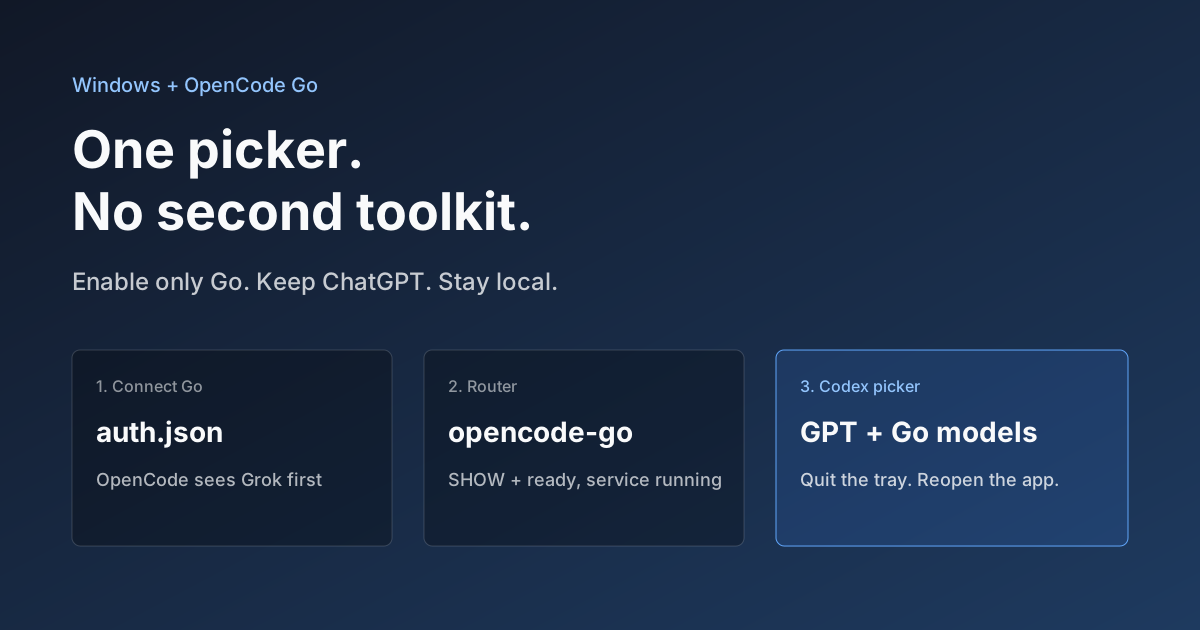
OpenCode Go in Codex on Windows: Setup, Troubleshooting, and Rollback
Connect OpenCode Go to Codex through the community codex-router project. Check prerequisites, authentication, real tool calls, and rollback.
Claude Code's Next Frontier: Not Code, But Your Local Obsidian Knowledge Base
Explore how Obsidian + Claude Code transforms from a knowledge management tool into your private AI assistant. Complete guide including obsidian-skills, Claudian plugin, Claudesidian template, and best practices for achieving both data privacy and AI capabilities.

Create a US Apple Account: switch the App Store, keep iCloud signed in
Register with your own email and phone, complete store setup, and redeem a US gift card purchased with Alipay. Diagrams explain iCloud, purchase accounts and private Apple sign-in.
