
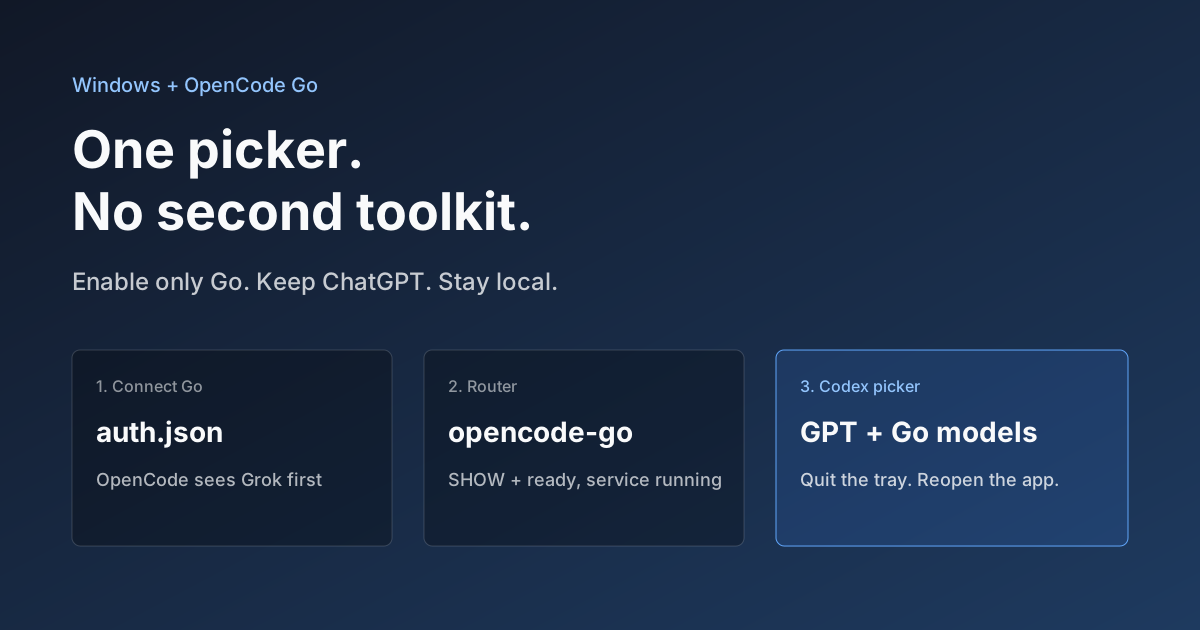
OpenCode Go in Codex on Windows: Setup, Troubleshooting, and Rollback
Documentation checked against the codex-router repository on September 27, 2026. This revision was not tested on a Windows machine. This is a community integration whose compatibility can change with client and router versions. Start with a disposable project.
Before installing
Prepare Codex, Node.js 22.19+ (the project recommends Node 24 LTS), Git, and either uv or Python 3.10+ with venv. Windows PowerShell must permit FullLanguage and Add-Type. If organizational policy blocks them, ask your administrator for an approved option.
Back up your Codex configuration and note its actual directory. WSL and native Windows processes may use different paths. Prepare a working OpenCode Go account and key; check the official Go documentation for current plans and models.
Install and authenticate
The project's current Windows guided installer uses these commands. Inspect the downloaded script and repository instructions before running it; no installation was performed for this article.
$installer = Join-Path $env:TEMP "codex-router-install.ps1"
Invoke-WebRequest https://raw.githubusercontent.com/duolahypercho/codex-router/main/install.ps1 -OutFile $installer
powershell.exe -NoProfile -ExecutionPolicy Bypass -File $installer -Target codex -Guided
Select the OpenCode provider you need in the wizard. Then enter the router directory reported by the installer, set credentials if needed, and check the service:
.\model-router.ps1 codex provider-key opencode-go set
.\model-router.ps1 codex providers enable opencode-go
.\model-router.ps1 codex doctor
.\model-router.ps1 codex status
Enter the key through the interactive prompt, not a command argument, screenshot, or chat. The gateway runs locally, but requests and required authentication still go to the upstream provider. The router currently groups Go and metered Zen in one provider family. Check the selected model's endpoint so that Zen usage is not mistaken for subscription usage.
Verify a complete task
Resolve failing doctor checks, fully quit Codex, reopen it, and create a new task. Use the model ID from the current catalog rather than an old screenshot; the Grok route is now opencode-go-responses/grok-4.5.
A visible model is only the first check. Ask it to read a test file, make one edit, and run a test. Record client version, model ID, errors, elapsed time, and upstream usage. Expand to other projects only after the expected result is verified.
Troubleshooting
| Symptom | First check | Next action |
|---|---|---|
| Installer will not start | Node, Python/uv, and Git in the current terminal | Install missing prerequisites and reopen the terminal |
| PowerShell policy blocks execution | Language mode and application controls | Use an approved setup with your administrator |
| Model appears but requests fail | Credentials, account quota, and selected endpoint | Inspect service status and the upstream error |
| Windows app ignores settings | WSL installation and actual configuration path | Match the installer output to the app, then restart |
| Text works but editing fails | Tool calls and protocol compatibility | Reproduce in a tiny repository and record versions |
Roll back
From the installation directory, disable the integration first; uninstall if removal is needed:
.\model-router.ps1 codex disable
# To remove the integration:
.\model-router.ps1 codex uninstall
Reopen Codex and verify the previous workflow. Compare configuration with the backup. Do not delete the entire Codex directory before uninstalling; it can contain personal settings and history.
Next, complete one small acceptance task. See the AI coding CLI comparison for client selection and 9Router for another gateway option.
Comments
No comments yet. Be the first to comment!
Related Tools


Related Articles

What Locks Codex Is the Picker, Not the Models
You already pay for OpenCode Go, Grok, and Z.ai, but the Codex picker still shows mostly GPT. The community project codex-router does not teach another install ritual. It puts subscriptions you already bought back into the selector, keeps keys on the machine, and leaves native GPT alone.

Running low on ChatGPT Codex quota? Switch to DeepSeek or Grok inside Codex
Codex Router lets you keep your Codex workspace while using DeepSeek, Grok, and other external models. A plain-English guide to routing, quotas, and network access.

How to pick an AI coding CLI for your repo
Match Claude Code, Codex CLI, OpenCode, Pi, omp, DeepSeek Harness, and Grok Build to the work you actually run. Docs rechecked 2026-10-06.
