

cmux is an open-source, native macOS terminal built on Ghostty (libghostty) for the coding-agent era. Vertical tabs show git branch, ports, and notification text; panes light up with blue rings when an agent needs you. Split panes, an in-app browser, and a CLI/socket API make it a programmable home for Claude Code, Codex, OpenCode, and any other CLI agent. 25k+ GitHub stars, GPL-licensed.
Key Features
- Vertical tabs: Sidebar shows git branch, linked PR status, working directory, listening ports, and latest notification per workspace.
- Notification rings: Panes get a blue ring and tabs light up when coding agents need attention — via OSC 9/99/777 or the
cmux notifyCLI wired into agent hooks. - In-app browser: Split a real browser alongside your terminal; navigate, click, type, and read DOM/console over the socket API.
- Split panes: Horizontal and vertical splits within each tab.
- Programmable: CLI and Unix socket API for workspaces, splits, keystrokes, screenshots, and browser automation.
- Native & fast: Swift + AppKit, GPU-accelerated via libghostty, no Electron. Reads your
~/.config/ghostty/config.
Use Cases
Who Should Use This Tool?
- Agent multitaskers: Developers juggling several coding agents who need to know instantly which one is waiting.
- macOS terminal fans: Ghostty users who want vertical tabs and agent awareness without switching terminals entirely.
- Agent-native workflows: People who want agents to drive their terminal and browser programmatically.
Problems It Solves
- Which agent needs me?: Notification rings and unread badges replace pane-by-pane checking.
- Terminal + browser juggling: Split a browser next to the terminal so agents can verify their own web changes.
- Hidden agent subprocesses: When an agent spawns teammates, cmux turns them into native panes and splits instead of hidden processes.
Pricing
| Plan | Price | Features |
|---|---|---|
| Open Source | $0 | Full terminal, GPL-licensed, free forever. |
| Founders Edition | Paid | Early access to upcoming features (cmux AI, iOS app, Cloud VMs). |
cmux is free and open source, GPL-licensed. The optional Founders Edition backs development and unlocks early access.
Advantages & Unique Selling Points
Compared to Competitors:
- Terminal, not a wrapper: Unlike Herdr's runtime or manager apps, cmux is a terminal that works with any agent out of the box.
- Agent-aware notifications: tmux keeps sessions alive but can't tell you which pane is blocked; cmux rings and badges do.
- Built-in scriptable browser: No other macOS terminal embeds a programmable browser with DOM access.
What Makes It Stand Out:
- Built by Manaflow AI on Ghostty; endorsed by Mitchell Hashimoto, creator of Ghostty.
- Native Swift/AppKit: fast startup, low memory, no Electron.
- Claude Code teams and oh-my-opencode spawn as native panes and splits.
User Reviews
"Another day, another libghostty-based project, this time a macOS terminal with vertical tabs, better organization/notifications, embedded/scriptable browser specifically targeted towards people who use a ton of terminal-based agentic workflows." — Mitchell Hashimoto, creator of Ghostty
"cmux is great. Current split: Codex Mac app for knowledge work. cmux + Codex CLI for coding." — Peter Steinberger, OpenClaw creator
Getting Started
Quick Start Guide
- Install: Download from cmux.com or
brew install --cask cmux. - Open a workspace: cmux reads your Ghostty config for themes, fonts, and colors.
- Launch agents: Run Claude Code, Codex, or any CLI agent; panes light up when they need you.
- Automate: Use the CLI/socket API to create splits, drive the browser, and wire
cmux notifyinto agent hooks.
Integration
- Agents: Claude Code, Codex, OpenCode, Gemini CLI, Kiro, Aider, Goose, Amp, Cline, Cursor Agent, and more.
- Claude Code Teams and oh-my-opencode multi-model orchestration spawn as native panes.
- Browser import from Chrome, Firefox, Arc, and 20+ browsers for authenticated sessions.
- SSH workspaces; attach to remote tmux sessions (beta).
Frequently Asked Questions
Is cmux open source?
Yes, free and GPL-licensed. The Founders Edition is an optional paid tier for early access to upcoming features.
How is it different from tmux?
tmux is a multiplexer that runs inside any terminal; cmux is a native macOS app with vertical tabs, notifications, and a built-in browser — no config files or prefix keys required.
Does it work with any agent?
Yes. cmux is a terminal, so any agent that runs in a terminal works out of the box.
Alternatives
If cmux isn't the right fit, consider these alternatives:
- Herdr: Terminal runtime that keeps agents alive in persistent, detachable sessions.
- Emdash: Worktree-based parallel agent environment with diff review.
- Superset: Desktop control plane for running an army of CLI agents.
Tips & Best Practices
- Wire notifications into hooks: Connect
cmux notifyto Claude Code/OpenCode hooks so blocked agents always surface. - Use browser panes for self-verification: Let agents drive the in-app browser to check their own UI changes.
- Keep one tab per task: Vertical tabs per WIP task keep agents, PRs, and resources organized.
Comments
No comments yet. Be the first to comment!
Related Tools


Related Insights

Seven AI Coding CLIs, Six Months: No Matter How Strong the Model, Work Needs Supervision
Claude Code, Codex, opencode, pi, omp and DeepSeek Harness all have personalities. After six months of deep use I run a division of labor: pi for the fastest cheapest reviews, omp for complex PRs, DeepSeek Harness on V4 Flash for high-frequency low-cost review, and Claude Code, Qoder and Cursor for writing. No matter how strong the model, work needs supervision — ideally from an independent third party.

What Locks Codex Is the Picker, Not the Models
You already pay for OpenCode Go, Grok, and Z.ai, but the Codex picker still shows mostly GPT. The community project codex-router does not teach another install ritual. It puts subscriptions you already bought back into the selector, keeps keys on the machine, and leaves native GPT alone.
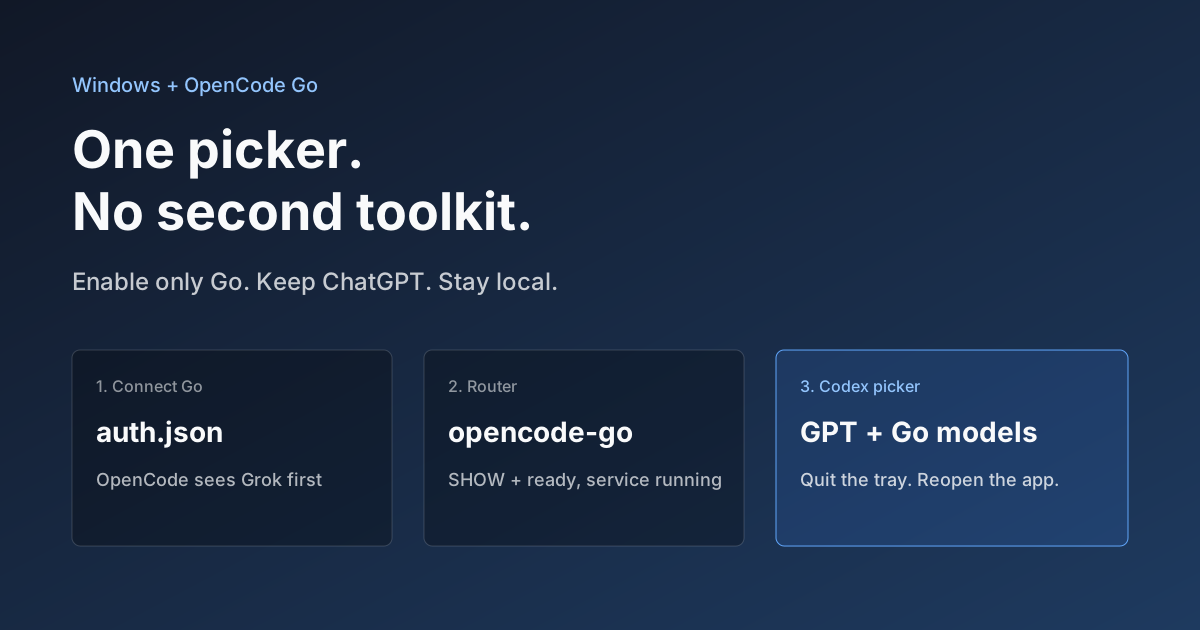
Hook OpenCode Go into Codex on Windows. Do Not Open a Second Toolkit.
A ChatGPT-signed Codex desktop app still shows mostly GPT in the picker. On Windows, enable only OpenCode Go and the Grok, GLM, Kimi, DeepSeek, and MiniMax models you already pay for appear in the same selector. Keys stay local. Native GPT stays put.