

Superset is a desktop application for the AI agents era: it runs an army of CLI coding agents in parallel, each isolated in its own Git worktree and branch, so Claude Code, Codex, OpenCode, and any terminal-based agent can work simultaneously without conflict. Review diffs, schedule automations, and drive everything programmatically via CLI, SDK, or MCP server — 12k+ GitHub stars.
Key Features
- Parallel workspaces: Run 10, even 100+, coding agents at once, each in its own worktree with its own branch, terminal, and environment.
- Any CLI agent: Claude Code, OpenAI Codex, OpenCode, Cursor Agent, Gemini CLI, Copilot, Amp, and anything else that runs in a terminal.
- Diff review: Review every change from one dashboard before merging; built-in editor and terminal.
- Automations: Schedule recurring agent runs with a cron-like schedule in fresh or existing workspaces.
- Programmable surfaces: Desktop app, a single
supersetCLI binary, a TypeScript SDK, and an MCP server so agents can create and manage workspaces themselves. - Remote hosts: Reach workspaces from anywhere via remote hosts and one-click handoff to your editor.
Use Cases
Who Should Use This Tool?
- Agent swarms: Developers running many agents on one repo who need them isolated and monitored.
- Orchestration engineers: Teams that want to script, schedule, and drive agents programmatically.
- Review-heavy teams: Groups that review and merge many parallel agent PRs every day.
Problems It Solves
- Agents stepping on each other: Every task gets an isolated worktree and branch — no cross-agent conflicts.
- No switching cost: Monitor all agents from one place; get notified when they need attention.
- Manual orchestration: MCP server and SDK let agents and scripts spawn workspaces themselves.
Pricing
| Plan | Price | Features |
|---|---|---|
| Free | $0 | Desktop app, parallel workspaces, diff review, automations, CLI/SDK/MCP. |
Superset is free, source-available under the Elastic License 2.0. It runs locally, does not proxy API calls, and supports macOS (Linux AppImage experimental; Windows not yet available).
Advantages & Unique Selling Points
Compared to Competitors:
- Built for scale: Positioned for running 100+ agents in parallel, not just a handful.
- Programmable to the core: CLI, SDK, and MCP server make it scriptable end-to-end, unlike window-only managers.
- Zero lock-in: Works with any CLI agent and doesn't proxy your API calls.
What Makes It Stand Out:
- 12.8k+ GitHub stars with an active release cadence.
- Automations bring cron-style scheduling to coding agents.
- Agents can drive Superset themselves over MCP.
User Reviews
"Superset is a company building the AI agent IDE. run 100 agents in parallel and keep your sanity." — Kiet Ho, Superset, Mastra talk
"Claude Code, Codex, and OpenCode are the agents — Superset is where you run many of them at once. Each task gets its own isolated Git worktree, so ten agents can work on ten branches simultaneously." — Superset official site
Getting Started
Quick Start Guide
- Download: Get the macOS app from superset.sh or the latest GitHub release.
- Add a repo: Open a repository; Superset creates a base workspace.
- Launch agents: Spawn Claude Code, Codex, or any CLI agent into isolated worktrees.
- Review and automate: Watch diffs in one dashboard, or schedule recurring runs with automations.
Integration
- Agents: Claude Code, OpenAI Codex, OpenCode, Cursor Agent, Gemini CLI, GitHub Copilot, Amp, Droid, Mastra Code, Mistral Vibe, and more.
- Surfaces: desktop app, CLI, TypeScript SDK (
@superset_sh/sdk), MCP server. - Remote: remote hosts with one-click handoff to editor or terminal.
Frequently Asked Questions
Is Superset open source?
It's source-available under the Elastic License 2.0 — free to download and use, but not OSI permissive open source.
How many agents can I run?
Superset is designed for scale: workspaces are built to run 10+ agents comfortably, with the model supporting 100+ in parallel.
Does it proxy my API calls?
No. Superset runs locally and does not proxy API calls — agents connect to their providers directly.
Alternatives
If Superset isn't the right fit, consider these alternatives:
- Herdr: Terminal runtime that keeps agents alive in persistent sessions.
- Emdash: Open-source worktree-based parallel agent environment (YC W26).
- cmux: macOS terminal with agent notifications for manual multitasking.
Tips & Best Practices
- Isolate experiments: Use fresh workspaces for risky agent runs; keep main branches clean.
- Automate the boring runs: Schedule nightly regression or lint runs with automations.
- Wire MCP into your agents: Let Claude Code or Codex spawn and manage Superset workspaces directly.
Comments
No comments yet. Be the first to comment!
Related Tools


Related Insights

Seven AI Coding CLIs, Six Months: No Matter How Strong the Model, Work Needs Supervision
Claude Code, Codex, opencode, pi, omp and DeepSeek Harness all have personalities. After six months of deep use I run a division of labor: pi for the fastest cheapest reviews, omp for complex PRs, DeepSeek Harness on V4 Flash for high-frequency low-cost review, and Claude Code, Qoder and Cursor for writing. No matter how strong the model, work needs supervision — ideally from an independent third party.

What Locks Codex Is the Picker, Not the Models
You already pay for OpenCode Go, Grok, and Z.ai, but the Codex picker still shows mostly GPT. The community project codex-router does not teach another install ritual. It puts subscriptions you already bought back into the selector, keeps keys on the machine, and leaves native GPT alone.
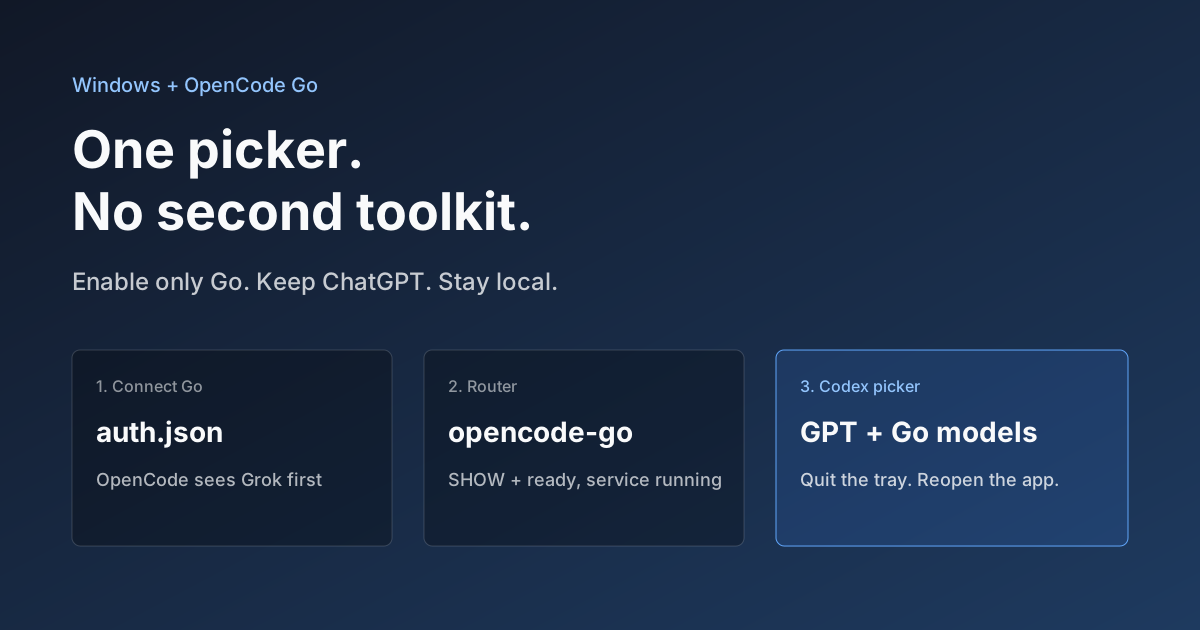
Hook OpenCode Go into Codex on Windows. Do Not Open a Second Toolkit.
A ChatGPT-signed Codex desktop app still shows mostly GPT in the picker. On Windows, enable only OpenCode Go and the Grok, GLM, Kimi, DeepSeek, and MiniMax models you already pay for appear in the same selector. Keys stay local. Native GPT stays put.