

Emdash
Emdash is a YC W26 open-source desktop ADE for running coding agents in parallel Git worktrees. The homepage matches that star count and says over 1M downloads. Treat downloads as marketing, not a census we re-counted. Desktop builds are $0. emdash.sh/pricing is a 404. emdash.sh/cloud is contact.
Compare Claude Code or Codex CLI if you wanted the wrapped agents, Amp if you wanted Sourcegraph's agent, and Hapi if you wanted remote control instead of worktree orchestration.
Key Features
- Parallel worktrees: Each task gets its own worktree, branch, terminal, and conversation. Review diffs, open PRs, and watch CI in one window.
- Local-first desktop: brew cask / dmg / msi / AppImage / deb from GitHub Releases. SSH/SFTP to a remote machine is optional.
- Cloud is sales, not a $20 row: The Cloud page sells ephemeral isolated compute and says get in touch. There is no public dollar table.
- Provider list lives in docs: Confirm emdash.sh/docs/providers. Do not freeze 25+.
Use Cases
- People who already pay for Claude Code or Codex and want isolated parallel runs.
- People comparing Emdash vs Hapi: one orchestrates worktrees, the other remotes a single official CLI.
- Teams that need Cloud isolation and will talk to sales.
Limitation: We did not re-time the leftover 500-1000ms worktree claim. Agent quality is the wrapped CLI's quality.
Pricing
GitHub, homepage, and Cloud on 2026-08-17.
| Piece | Price | Notes from first-party pages |
|---|---|---|
| Emdash desktop | $0 | Apache-2.0. 5,421 stars. |
| Wrapped CLIs | Their own seats | Claude Code, Codex, and the others you install. |
| Emdash Cloud | Contact | Isolated ephemeral compute. No public dollar row. |
If a leftover blog still sells a public Emdash seat, treat this table as the source.
Getting Started
- Install from emdash.sh/download or
brew install --cask emdash. - Point it at CLIs you already have.
- Confirm Cloud only if you need isolated compute.
- Do not promise 25+ agents or 1M downloads as an audit.
Frequently Asked Questions
Is the desktop free?
Yes. Apache-2.0 desktop builds are $0.
Is there a pricing page?
/pricing 404'd. Cloud is contact.
Same as Hapi?
No. Hapi remotes official CLI sessions. Emdash isolates parallel worktrees.
Alternatives
- Hapi: Local remote-control shell around official CLIs.
- Claude Code: Anthropic CLI Emdash can run.
- Amp: Sourcegraph agent, also on the wrap list.
Tips
- Quote 5,421 stars and Apache-2.0 from the GitHub check.
- Quote desktop $0 and Cloud contact.
- Confirm the docs provider list before you say 25+.
Conclusion
Emdash is an Apache-2.0 YC W26 ADE with 5,421 stars, not a priced 25-agent census. Start at emdash.sh, then decide whether Hapi or the wrapped CLI already covers the loop you need.
Comments
No comments yet. Be the first to comment!
Related Tools


Related Insights

Seven AI Coding CLIs, Six Months: No Matter How Strong the Model, Work Needs Supervision
Claude Code, Codex, opencode, pi, omp and DeepSeek Harness all have personalities. After six months of deep use I run a division of labor: pi for the fastest cheapest reviews, omp for complex PRs, DeepSeek Harness on V4 Flash for high-frequency low-cost review, and Claude Code, Qoder and Cursor for writing. No matter how strong the model, work needs supervision — ideally from an independent third party.

What Locks Codex Is the Picker, Not the Models
You already pay for OpenCode Go, Grok, and Z.ai, but the Codex picker still shows mostly GPT. The community project codex-router does not teach another install ritual. It puts subscriptions you already bought back into the selector, keeps keys on the machine, and leaves native GPT alone.
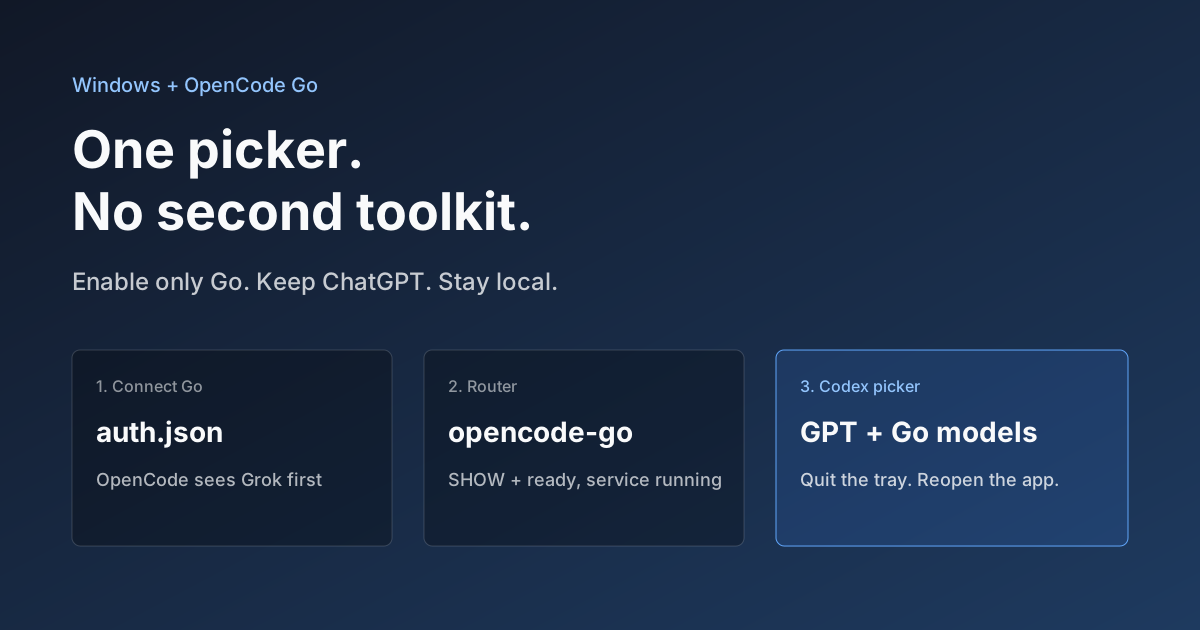
Hook OpenCode Go into Codex on Windows. Do Not Open a Second Toolkit.
A ChatGPT-signed Codex desktop app still shows mostly GPT in the picker. On Windows, enable only OpenCode Go and the Grok, GLM, Kimi, DeepSeek, and MiniMax models you already pay for appear in the same selector. Keys stay local. Native GPT stays put.