

Herdr is the runtime your coding agents live on. One Rust binary installs a background server that owns real terminal sessions, so Claude Code, Codex, opencode, Cursor, and 15+ other agent CLIs keep working after you detach, close the laptop, or reconnect over SSH. Y Combinator-backed, Apache 2.0, with 26k+ GitHub stars and 360k+ installs.
Key Features
- Always-running server: Terminals live inside a background
herdr-serverprocess; close the lid or drop the network and agents keep working, then resume sessions on restart. - Agent-aware panes: Herdr reads every pane and marks each agent
working,blocked, oridle, so you never hunt through tabs for whoever is waiting on you. - Detach, reattach, SSH: Reconnect from any tty with the TUI, the
herdrCLI, or plain SSH; clients can crash without the agents noticing. - Agent-native API: The CLI and socket API are the same surface agents drive — they split panes, start each other, and wait until another agent is genuinely blocked.
- Runs what you already run: No wrapper, no replacement. Herdr owns the terminals of Claude Code, Codex, Cursor, opencode, Grok, and more — 19 agent CLIs detected out of the box.
- Plugins: 500+ community plugins extend workspaces, themes, and integrations.
Use Cases
Who Should Use This Tool?
- Multi-agent developers: Anyone running several coding agents at once who loses track of which one needs input.
- Remote/SSH workflows: Developers who want agents to keep working on a server or rented box between sessions.
- Terminal purists: People who want tmux-style persistence without leaving the terminal they already love.
Problems It Solves
- Agent sessions dying with your laptop: Herdr's server owns the terminals, so closing the lid no longer kills in-flight agent work.
- Losing track of blocked agents: Semantic state (working/blocked/idle) replaces the old "which pane was waiting on me" guesswork.
- Juggling tabs for every agent: Spaces, tabs, and splits organize a whole herd of agents in one attachable layout.
Pricing
| Plan | Price | Features |
|---|---|---|
| Open Source | $0 | Full runtime, TUI/CLI/SSH clients, plugins, socket API. Apache 2.0. |
Herdr is free and open source. Install with curl -fsSL https://herdr.dev/install.sh | sh on macOS/Linux; Windows is in beta.
Advantages & Unique Selling Points
Compared to Competitors:
- Runtime, not an app: tmux persists terminals but knows nothing about agents; manager apps (Emdash, Superset) quit with their window. Herdr is the layer underneath: a server that owns the terminals.
- Agent-native state: Unlike tmux or Zellij, Herdr knows which pane is an agent and whether it's blocked, working, or done — and can wait on it.
- No terminal replacement: Runs inside the terminal you already chose; cmux and Warp ask you to move into theirs.
What Makes It Stand Out:
- One binary, Apache 2.0, no account, no telemetry.
- Socket API lets agents orchestrate each other.
- 500+ community plugins and official agent integrations.
User Reviews
"Herdr reads every pane and marks each agent working, blocked or idle, so you don't go pane by pane looking for whoever is waiting on you." — The Contextian, YouTube review
"It is a terminal multiplexer written in Rust like tmux, except it knows about your agents. Sessions live on a background server, so you can detach, close the laptop, SSH back in later, and everything is still running." — Better Stack, YouTube review
Getting Started
Quick Start Guide
- Install:
curl -fsSL https://herdr.dev/install.sh | sh(Homebrew, Nix, and manual installs also supported). - Launch: Run
herdrto start the server and open the TUI. - Open agents: Launch Claude Code, Codex, or any supported agent inside a pane.
- Detach and return: Close the session, come back later, and resume exactly where you left off.
Integration
- Works with Claude Code, Codex, Cursor, opencode, Grok, Copilot, and more.
- SSH into remote machines; agents run remotely with full session state.
- Socket API and CLI for scripting and agent automation.
Frequently Asked Questions
Is Herdr open source?
Yes, fully open source under Apache 2.0, built in Rust by Herdr, Inc. and backed by Y Combinator.
Does it replace my agent CLI?
No. Herdr owns the terminal sessions your existing agent CLIs run in — it doesn't wrap or replace Claude Code, Codex, or any other tool.
Does it work over SSH?
Yes. The server runs on the machine, and you attach from any tty, including over SSH, without losing session state.
Alternatives
If Herdr isn't the right fit, consider these alternatives:
- Emdash: Desktop agentic dev environment isolating parallel agents in Git worktrees.
- Superset: Run an army of CLI agents in isolated worktrees with diff review and automations.
- cmux: Ghostty-based macOS terminal with vertical tabs and agent notifications.
Tips & Best Practices
- Use spaces per project: Give each project or domain its own workspace so agents stay grouped.
- Watch semantic state: The
blockedbadge means an agent is waiting on you — check it before starting new work. - Automate with the socket API: Let one agent spawn, prompt, and wait on others for multi-step pipelines.
Comments
No comments yet. Be the first to comment!
Related Tools


Related Insights

Seven AI Coding CLIs, Six Months: No Matter How Strong the Model, Work Needs Supervision
Claude Code, Codex, opencode, pi, omp and DeepSeek Harness all have personalities. After six months of deep use I run a division of labor: pi for the fastest cheapest reviews, omp for complex PRs, DeepSeek Harness on V4 Flash for high-frequency low-cost review, and Claude Code, Qoder and Cursor for writing. No matter how strong the model, work needs supervision — ideally from an independent third party.

What Locks Codex Is the Picker, Not the Models
You already pay for OpenCode Go, Grok, and Z.ai, but the Codex picker still shows mostly GPT. The community project codex-router does not teach another install ritual. It puts subscriptions you already bought back into the selector, keeps keys on the machine, and leaves native GPT alone.
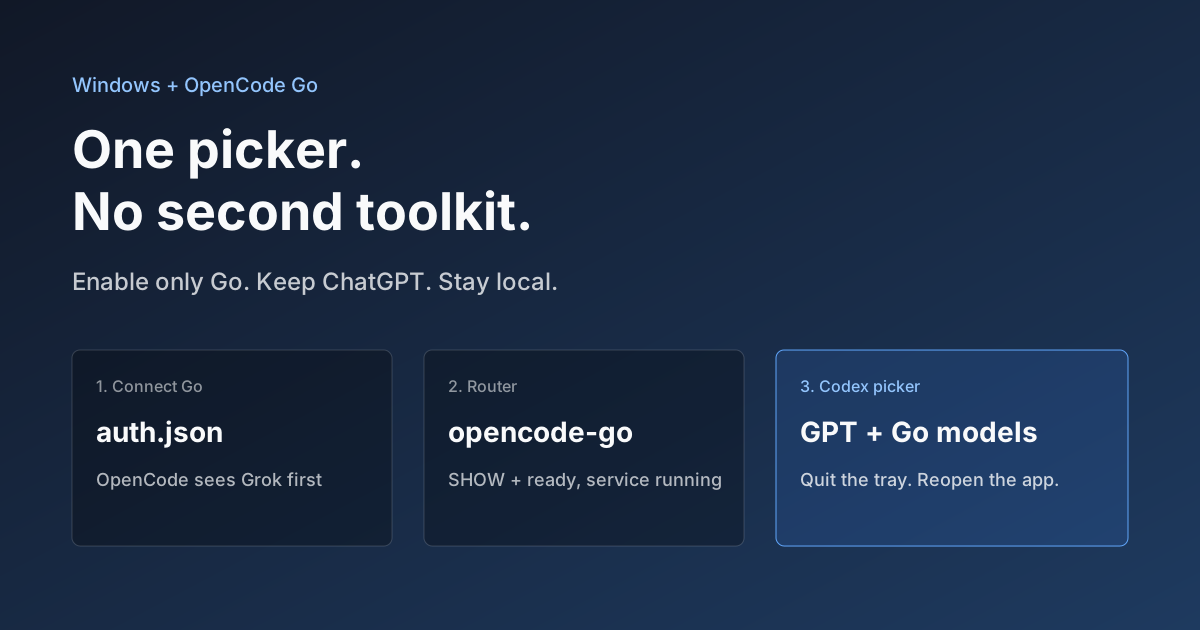
Hook OpenCode Go into Codex on Windows. Do Not Open a Second Toolkit.
A ChatGPT-signed Codex desktop app still shows mostly GPT in the picker. On Windows, enable only OpenCode Go and the Grok, GLM, Kimi, DeepSeek, and MiniMax models you already pay for appear in the same selector. Keys stay local. Native GPT stays put.