

Overview
GoLive is an open-source Agent Skill for the step that comes after the agent finishes coding: getting the app onto a real URL with a real database, domain, email sender, and payment keys. Its one-line pitch covers both directions of the lifecycle, taking the product live and tearing it all down again.
The repository mikehasa/golive-skill was created 2026-09-23 and reached 845 stars by 2026-09-25, which is a fast start for a skill whose subject is infrastructure drudgery. It is MIT licensed and also published to npm as golive, currently 0.1.0-alpha.3.
The Workflow
The skill runs five stages, and the ordering is the point:
- Detect what the app already uses, from its config, dependencies, and environment variable names.
- Plan the exact destination accounts, resources, settings, and cost, and show them to you.
- Approve: nothing is applied until you say yes to that specific plan.
- Apply the changes using your own provider logins and keys.
- Verify what actually works, and state plainly what it could not check.
Skipped is not passed is the rule the README repeats: it distinguishes a verified result from an unverified one rather than treating a green checkmark as proof the app works.
What the Alpha Supports
Two hosting options, Vercel and Netlify, and two databases, Supabase and Neon. The maintainers published a table of lives-tested paths:
- Vercel + Supabase: provisioning, environment wiring, deployment, and authenticated CRUD with access isolation.
- Netlify + Neon: the same journey with Postgres connectivity and two-session API checks.
- Custom domain: Vercel attachment with Porkbun and GoDaddy record writes under
--confirm-dns, including the ownership TXT challenge Vercel asks for. - Transactional email: Resend sending-domain setup, DNS records, domain verification, and a real send.
- Test-mode payments: Stripe test keys and webhook registration, plus confirmation that an unsigned request is rejected.
Cloudflare DNS, password recovery, and account isolation are implemented with mocked coverage but not live-validated as of this release, and the README says so rather than implying otherwise. Other providers fall back to a guided flow that checks for an official CLI, MCP integration, or API before walking you through a dashboard.
Controlling What It Touches
GoLive addresses the obvious objection to letting an agent near production infrastructure in three ways.
First, approval gates: plans name the destination and intended writes, a changed plan needs another approval, and DNS writes, live-payment steps, and deletion each require their own flag (--confirm-dns, --confirm-live, --confirm-destroy).
Second, credentials stay off the transcript. Vendor logins are reused where possible. On macOS a native hidden-input dialog can save an API key straight to ~/.config/golive/credentials, a local file with restricted permissions, and the README states that values are kept out of plans, state, and command output.
Third, an audit trail. The run leaves golive.yaml, .golive/state.json, .golive/report.json, and GOLIVE_REPORT.md in the repo. golive handoff --write generates GOLIVE_HANDOVER.md, which lists every resource GoLive created, the proof it owns it, what remains manual, and which command re-checks each row. golive status then compares those recorded baselines against live reads and prints expected versus observed, exiting with status 2 when something needs attention.
Install
Node.js 20 or later, npm or npx, and Git are the requirements. Installation is verified for Codex and Claude Code:
npx skills add https://github.com/mikehasa/golive-skill --skill golive --global
Add --agent codex --yes or --agent claude-code --yes to skip the interactive agent picker, and drop --global to install into one project. There is also an npm channel, npx golive@alpha install --agent codex, which installs offline with no Git involved and exposes the same CLI. Installing does not connect any account or deploy anything.
Inside the agent, the skill is invoked in plain language or with $golive in Codex and /golive in Claude Code.
Pricing
GoLive is free and MIT licensed. There is no GoLive account, no hosted backend, and no product telemetry. The only costs are the provider bills you already have, and the plan stage is supposed to name the destination and cost information before you approve.
Limitations and Risks
- Early alpha. Version 0.1.0-alpha.3. Several documented journeys are mock-covered rather than live-validated, and the README is explicit about which.
- Narrow provider matrix. Vercel, Netlify, Supabase, Neon, Porkbun, GoDaddy, Resend, and Stripe test mode are the tested paths. Everything else is best-effort guidance with weaker verification.
- First-time account setup is untested. The maintainers note that a new user's first-account setup and every application framework have not been validated.
- No cross-provider rollback.
teardownremoves what GoLive provably created, but there is no general restore or reconciliation command, and backups stay manual. Supabase, Neon projects, and the Resend sending domain remain manual handoffs. - Drift is not a gate.
plan,apply, andverifynever consultstatus, so drift checking is a follow-up you have to run.
FAQ
Does GoLive deploy without asking me?
No. It presents a plan naming the destination accounts and intended changes, and applies nothing until you approve that specific plan.
Can it connect to providers it has no adapter for?
It can try. The general path checks the provider's official CLI, MCP integration, or API first and then guides you through the dashboard. The README labels that best-effort, with no guarantee of the same verification coverage.
Where do my API keys go?
Provider logins are reused wherever possible. Keys that must be entered go to ~/.config/golive/credentials through a native dialog on macOS, and the code is written to keep values out of plans, state, and command output. That is the design; read the source if you are putting it near production accounts.
How do I get rid of everything it created?
golive teardown plans the removal, then deletes only resources with an ownership proof, and it requires --confirm-destroy. It has a live-exercised run on a disposable Netlify project.
Alternatives
- Claude Code: the agent that would run GoLive in a Claude Code workflow.
- Codex CLI: the other verified host for the skill.
- Supabase: one of the databases GoLive provisions, if you would rather wire the backend by hand.
- Skills: background on the Agent Skills format GoLive follows.
Tips
- Run it in a scratch repository first, so the plan and verification output are familiar before you point it at an account you care about.
- Read the plan's cost line before approving, especially for the database and hosting choices that bill monthly.
- Commit
.golive/state.jsonalongsideGOLIVE_HANDOVER.md, so the drift check has a baseline to compare against. - Use test-mode payment keys and disposable subdomains, as the maintainers did in their own validation runs.
Conclusion
The gap GoLive addresses is real and unglamorous: an agent can produce a working app in an afternoon, and then someone still has to click through Vercel, Supabase, a registrar, and a payment dashboard. The contribution here is not automation for its own sake but an approval-and-evidence loop around it, with a handover document at the end. In alpha form it is best treated as a supervised assistant that is honest about what it has not verified.
Comments
No comments yet. Be the first to comment!
Related Tools


Related Insights

What Locks Codex Is the Picker, Not the Models
You already pay for OpenCode Go, Grok, and Z.ai, but the Codex picker still shows mostly GPT. The community project codex-router does not teach another install ritual. It puts subscriptions you already bought back into the selector, keeps keys on the machine, and leaves native GPT alone.

Running low on ChatGPT Codex quota? Switch to DeepSeek or Grok inside Codex
Codex Router lets you keep your Codex workspace while using DeepSeek, Grok, and other external models. A plain-English guide to routing, quotas, and network access.
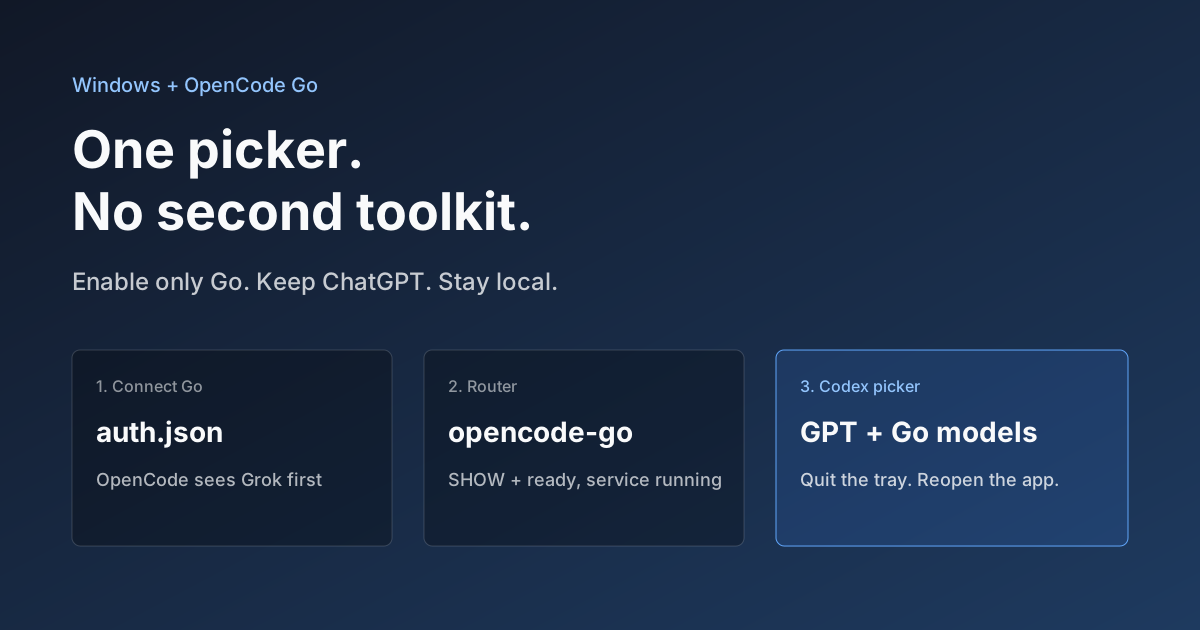
Hook OpenCode Go into Codex on Windows. Do Not Open a Second Toolkit.
A ChatGPT-signed Codex desktop app still shows mostly GPT in the picker. On Windows, enable only OpenCode Go and the Grok, GLM, Kimi, DeepSeek, and MiniMax models you already pay for appear in the same selector. Keys stay local. Native GPT stays put.