

Running low on ChatGPT Codex quota? Switch to DeepSeek or Grok inside Codex
You are halfway through a code change when your ChatGPT Codex quota runs low. Moving to WorkBuddy means reopening the project and explaining the task again. There is another option: keep the workspace and change the model.
The independent community project Codex Router connects external models to the Codex model picker. You can start tasks in Codex as usual, then choose DeepSeek, Grok, or another configured model to answer them.
Think of it as a local model switchboard
You send a task from Codex. The local Router forwards it according to your model selection. Native GPT uses the relevant ChatGPT Codex allowance. DeepSeek API uses your DeepSeek API credential and billing. Grok OAuth or the xAI API uses its own login or API credential. Router does not increase your ChatGPT quota; it lets a separately available model handle suitable work.
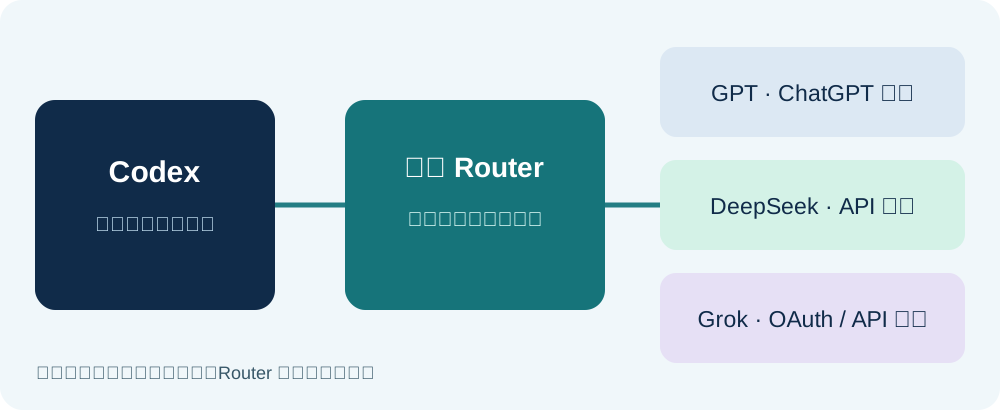
Your Codex project entry point and task workflow stay familiar. Only the model source changes. Try DeepSeek for routine explanation or editing, Grok when you want another model's approach, and native GPT for tasks tied to native Codex features. Tool behavior can differ across models, so review diffs and run tests for consequential changes.
Does it work without a VPN?
Router runs locally, but it is not a VPN or a network bypass. If the selected provider is reachable from your current network and your credential works, you do not need to change your network merely to change workspaces. If the xAI or other chosen endpoint is unreachable, Router will not make it reachable.
Check the specific provider and access method you intend to use. DeepSeek's domestic API and Grok OAuth/API are separate paths. Do not assume access to one proves access to all, or that Router supplies free quota.
The shortest route to a first task
- Read the current requirements and supported providers in the project repository, and back up your local Codex configuration.
- Choose a login or API credential you already have. The project's models and authentication table distinguishes DeepSeek API from Grok OAuth and API access.
- Follow the guided installer. Enter credentials only in its private local prompt, never in a chat. Fully quit and reopen Codex, then create a task with an external model.
- Try a small task first to verify output, cost, and connectivity before relying on it for important work.
This is a community project, not an official OpenAI feature. Check its updates, permissions, and rollback instructions before depending on it. For a Windows walkthrough focused on OpenCode Go, see this guide. For the broader model-picker argument, see our earlier article.
When quota gets tight, change the model inside Codex before changing your whole workspace. You still need the other model's credential, allowance, and a working network path.
Sources: Codex Router repository, OpenAI's Codex quota guidance.
Comments
No comments yet. Be the first to comment!
Related Tools


Related Articles

What Locks Codex Is the Picker, Not the Models
You already pay for OpenCode Go, Grok, and Z.ai, but the Codex picker still shows mostly GPT. The community project codex-router does not teach another install ritual. It puts subscriptions you already bought back into the selector, keeps keys on the machine, and leaves native GPT alone.
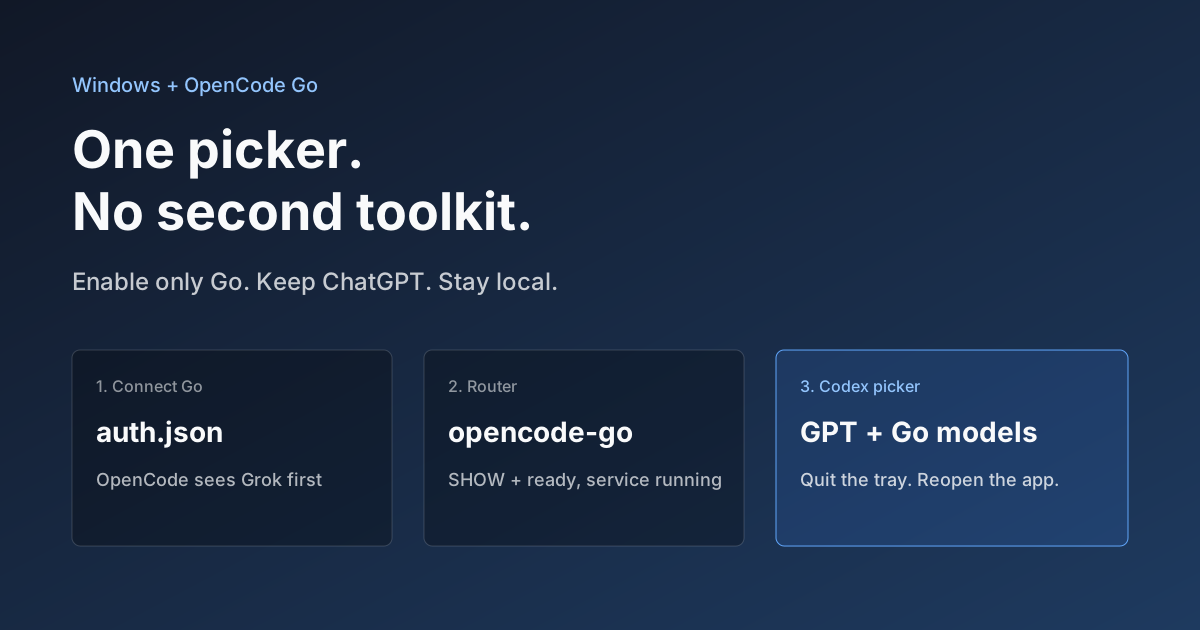
Hook OpenCode Go into Codex on Windows. Do Not Open a Second Toolkit.
A ChatGPT-signed Codex desktop app still shows mostly GPT in the picker. On Windows, enable only OpenCode Go and the Grok, GLM, Kimi, DeepSeek, and MiniMax models you already pay for appear in the same selector. Keys stay local. Native GPT stays put.

Seven AI Coding CLIs, Six Months: No Matter How Strong the Model, Work Needs Supervision
Claude Code, Codex, opencode, pi, omp and DeepSeek Harness all have personalities. After six months of deep use I run a division of labor: pi for the fastest cheapest reviews, omp for complex PRs, DeepSeek Harness on V4 Flash for high-frequency low-cost review, and Claude Code, Qoder and Cursor for writing. No matter how strong the model, work needs supervision — ideally from an independent third party.
