

Kilo Code
Kilo Code is an open-source coding agent for VS Code and CLI. Inference is Auto Free / local / BYOK at $0 hosted credit, or Kilo Gateway at exact provider rates, or optional Kilo Pass (monthly credits plus up to 50% bonus). github.com/Kilo-Org/kilocode had 26,900 stars, license MIT.
Compare Cline if you wanted another $0 individual VS Code agent, Claude Code if you wanted Anthropic's CLI, and Continue if you wanted a thinner open IDE agent.
Key Features
- Free individual platform: Pricing says start free, then add Teams or Enterprise. That is not unlimited frontier models.
- Kilo Pass: Optional credit subscription with bonus credits.
- MCP and review: Product still mentions MCP marketplace and
/review. Treat the installed extension as the catalog.
Use Cases
- People who will stay on Free with Auto Free or BYOK.
- Teams that will pay $15 for admin.
- People comparing Kilo vs Cline on Teams $15 vs Cline's custom Enterprise-only sales row.
Slack/session portability is product marketing; recheck in-app.
Pricing
kilo.ai/pricing on 2026-08-17.
| Plan | Price | Notes from that page |
|---|---|---|
| Free (individual) | $0 | Open source. Auto Free, local, or BYOK. |
| Teams | $15 | 14-day trial. Team management. |
| Enterprise | Custom | Security, compliance, model/provider limits. |
| Kilo Gateway | Provider list | $0 markup claimed. Top up credits as needed. |
| Kilo Pass | Monthly credits | Up to 50% bonus. Confirm the calculator. |
If a leftover blog still says Kilo is only free with no Teams row, treat this table as the source.
Getting Started
- Open kilo.ai/pricing and start on Free with BYOK or Auto Free.
- Install from kilo.ai or the VS Code marketplace.
- Confirm Cline if you did not need a $15 Teams row.
- Do not promise 500 models or 1.4M installs.
Frequently Asked Questions
Is Kilo still unpriced?
No. Individuals are $0. Teams is $15. Enterprise is custom.
Do I have to buy Kilo Pass?
No. Pass is optional credits. BYOK can stay $0 hosted.
Same as Cline?
Both are open VS Code agents. Kilo publishes Teams $15. Cline's public paid row is Enterprise custom.
Alternatives
- Cline: $0 individual, Enterprise custom.
- Claude Code: Anthropic CLI.
- Continue: Open IDE agent.
Tips
- Quote Free $0 / Teams $15.
- Do not paste 1.4M installs into a deck.
- Confirm Kilo Pass before you treat bonus credits as a discount law.
Conclusion
Kilo Code is a MIT VS Code agent with a public $15 Teams row, not an unmetered 500-model census. Start at kilo.ai/pricing, then decide whether Cline already covers the editor you need.
Comments
No comments yet. Be the first to comment!
Related Tools


Open-source terminal pair programmer. Apache-2.0 and BYOK. You pay the model API, not an Aider seat.

Related Insights

Skills + Hooks + Plugins: How Anthropic Redefined AI Coding Tool Extensibility
An in-depth analysis of Claude Code's trinity architecture of Skills, Hooks, and Plugins. Explore why this design is more advanced than GitHub Copilot and Cursor, and how it redefines AI coding tool extensibility through open standards.

What Locks Codex Is the Picker, Not the Models
You already pay for OpenCode Go, Grok, and Z.ai, but the Codex picker still shows mostly GPT. The community project codex-router does not teach another install ritual. It puts subscriptions you already bought back into the selector, keeps keys on the machine, and leaves native GPT alone.
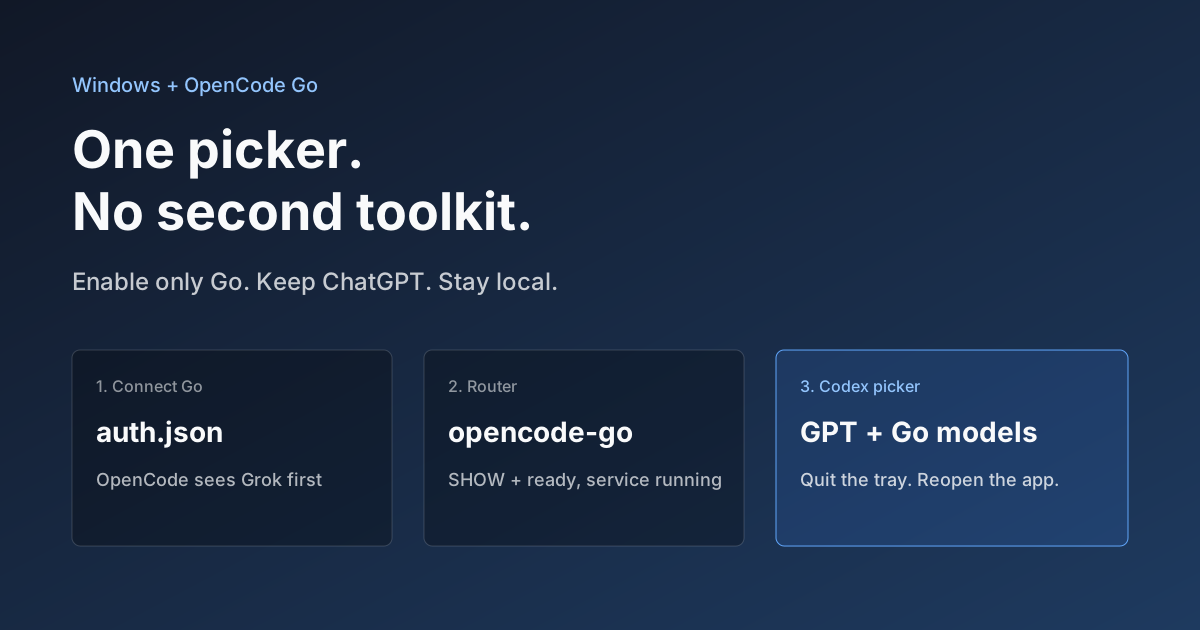
Hook OpenCode Go into Codex on Windows. Do Not Open a Second Toolkit.
A ChatGPT-signed Codex desktop app still shows mostly GPT in the picker. On Windows, enable only OpenCode Go and the Grok, GLM, Kimi, DeepSeek, and MiniMax models you already pay for appear in the same selector. Keys stay local. Native GPT stays put.