

magpie
magpie is a free, open-source menu bar app released on 2026-09-23 with a single premise: every agent on your machine should be able to run every model you have access to. Instead of editing settings.json by hand every time you want Codex on a cheaper model or Claude Code on a faster one, magpie shows a list of the agents installed on your machine, the model each one currently points at, and lets you change any of them in one click.
Its repository went from zero to 430 stars in the first day, which says something about how many people are juggling more than one coding agent.
What It Does
- One panel for every agent. Claude Code, Codex, Gemini CLI, OpenCode, Pi, Goose, Cursor CLI, Copilot CLI, and Crush appear in a single list with the model each one is set to.
- Surgical config edits. magpie rewrites only the key you changed in
~/.claude/settings.json,~/.codex/config.toml,~/.config/opencode/opencode.jsonc, or~/.config/goose/config.yaml. Comments, key order, and indentation survive, and writes are atomic. - Profiles. Snapshot every agent's settings under a name such as "Budget" or "Focus" and switch the whole set in one move.
- A terminal version. The same screen is available as
magpie tuiand as plain CLI commands, so it works over SSH.
How the Gateway Works
The interesting half of magpie is not the menu bar, it is the translation layer. Codex only speaks the OpenAI Responses API, Claude Code only speaks the Anthropic Messages API, and Gemini CLI speaks Google's format. magpie runs a gateway on 127.0.0.1:3425 that accepts all of them and forwards to whichever vendor serves the model you picked, streaming, tool calls, and reasoning blocks included.
Point any agent at http://127.0.0.1:3425/v1 and it can use a model the agent itself has never heard of. Your keys stay inside magpie, and each agent only ever holds the local gateway URL.
Providers and Shared Subscriptions
Adding a vendor is one line: magpie provider add deepseek sk-.... There are presets for Anthropic, OpenAI, Gemini, DeepSeek, Kimi, GLM, MiniMax, Qwen, Mistral, Groq, xAI, OpenRouter, Together, Fireworks, SiliconFlow, AiHubMix, 302.AI, Ollama, and LM Studio, and custom vendors need only a name and a base URL.
The feature that stands out is subscription reuse. If you are already signed in to Claude Code, Codex, or Copilot, that login becomes a provider: your Claude Pro or Max plan shows up in OpenCode, Pi, or Goose as claude/claude-sonnet-5, and your Copilot seat shows up in other agents as copilot/claude-sonnet-4.5. Nothing is copied, magpie reads the agent's own credential file and refreshes tokens the way the agent does.
Model lists are fetched from the vendor rather than compiled in, with the models.dev catalog filling in names and reasoning efforts, so a model released this morning appears in the pickers on the next refresh.
Pricing
magpie itself is free: MIT licensed, open source, no account, under 15 MB for the desktop build and about 7 MB for the terminal-only binary. You pay only the model vendors, or nothing extra if you are routing through subscriptions you already hold.
Getting Started
- Install the desktop app from usemagpie.ai, or run the terminal installer:
curl -fsSL https://usemagpie.ai/install.sh | sh
- Add one provider and paste a key, or leave the signed-in agents as providers.
- Open the menu bar panel and pick a model per agent. Only agents that are installed or configured are shown.
- Start a new agent session. Config changes apply to the next session, not the one already running.
Source is on GitHub; the CLI is also installable with go install github.com/yetone/magpie@latest.
Limitations and Risks
- A one-day-old project. Created 2026-09-23, so treat it as early software. Pin a version if you put it in a team workflow.
- It reads agent credentials. Reusing a Claude, ChatGPT, or Copilot login inside a different agent is a real capability, and it also means magpie touches those credential files. The README is explicit about what it reads and writes; read it before enabling the feature, and check each vendor's terms if you route a subscription into a third-party agent.
- The desktop app is not universal. The Wails build needs macOS 11 or later; on Linux the desktop app requires WebKitGTK 4.1, otherwise use the terminal build.
- A local gateway is still a gateway. It listens on loopback, but any process on your machine can reach it.
FAQ
Does magpie store my API keys?
Yes, in magpie's own config, and it does not read keys from your shell environment. Agents only see the local gateway.
Can I use it outside macOS?
Yes. Linux and Windows are supported, and the terminal-only build is the lightest option.
Is it a replacement for OpenRouter or LiteLLM?
No. Those route cloud traffic between vendors. magpie is local, and its job is editing the agent configurations on your machine.
What happens if I pick a native model again?
magpie restores exactly what was in the config file before, so switching back is not a manual undo.
Alternatives
- CC Switch: focused on switching Claude Code between providers, with a Rust/Tauri desktop UI.
- Claude Code: the agent itself, if you only ever need one.
- Codex CLI: OpenAI's terminal agent, one of the agents magpie retargets.
- OpenRouter Gateway: an API-gateway skill for a cloud router rather than a local one.
Conclusion
The multi-agent era created a boring tax: every new agent re-implements the same model picker, and every model you want in it costs a config edit. magpie removes that tax by owning the translation layer instead of the model. If you run two or more coding agents, it is the cheapest way to stop treating your model choice as a per-tool decision.
Comments
No comments yet. Be the first to comment!
Related Tools


Related Insights

What Locks Codex Is the Picker, Not the Models
You already pay for OpenCode Go, Grok, and Z.ai, but the Codex picker still shows mostly GPT. The community project codex-router does not teach another install ritual. It puts subscriptions you already bought back into the selector, keeps keys on the machine, and leaves native GPT alone.

Running low on ChatGPT Codex quota? Switch to DeepSeek or Grok inside Codex
Codex Router lets you keep your Codex workspace while using DeepSeek, Grok, and other external models. A plain-English guide to routing, quotas, and network access.
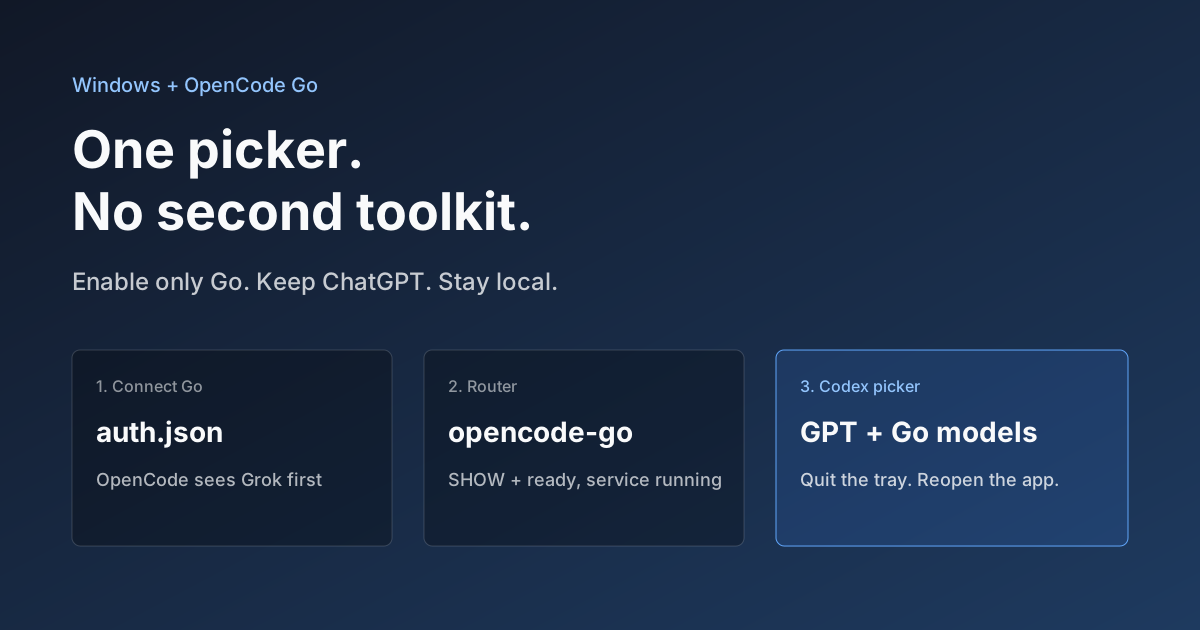
Hook OpenCode Go into Codex on Windows. Do Not Open a Second Toolkit.
A ChatGPT-signed Codex desktop app still shows mostly GPT in the picker. On Windows, enable only OpenCode Go and the Grok, GLM, Kimi, DeepSeek, and MiniMax models you already pay for appear in the same selector. Keys stay local. Native GPT stays put.